วันพฤหัสบดีที่ 29 สิงหาคม พ.ศ. 2556

Tuesday, August 27, 2013

23 Places which are forbidden to display on Google Maps พิกัดที่กูเกิลเอิร์ธแสดงไม่ได้

    source:  http://bigpicture.ru/?p=343584

Mapping service Google Maps displays the entire Earth. Well, almost all. Some places are just not available for viewing or specially painted over or washed out.

ตำแน่งความลับของหลายๆ ประเทศในโลกนี้  เราไม่อาจเรียกใช้บริการของ Google Earth ได้
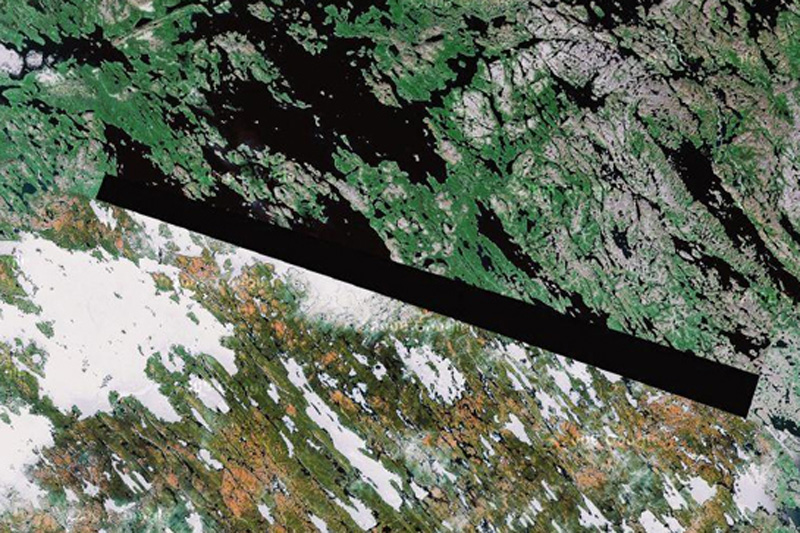
Google Maps January 23 seats, which are prohibited for display on Google Maps
1. Baker Lake, the territory of the Inuit in northern Canada
A man who identified himself as "Dr. Boylan" believes shaded area in this image and in some other locations, hiding extraterrestrial beacons aliens.
ทะเลสาปเบเกอร์  ตอนเหนือของประเทศแคนาดา  
ชายที่เรียกตัวเองว่า "Dr. Boylan" เชื่อว่า เป็นที่หลบซ่อนของมนุษย์ต่างดาว
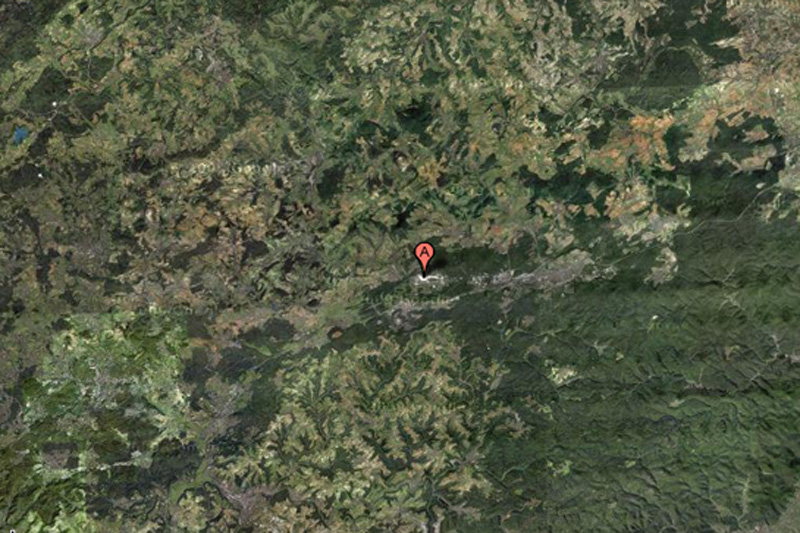

Google Maps on February 23 places that are forbidden to display on Google Maps
2. Air base Ramstein, Germany
This NATO air base is the starting point for the forces of "Operation Iraqi Freedom", and for this reason can certainly be a target for terrorist attacks. This may explain why the object is partially carved out of Google Maps.
 ฐานทัพอากาศแรมสไตน์ ประเทศเยอรมนี
 เป็นฐานทัพของนาโต (พันธมิตรทางทหาร ประกอบด้วยสหรัฐอเมริกา และกลุ่มประเทศยุโรปตะวันตก)
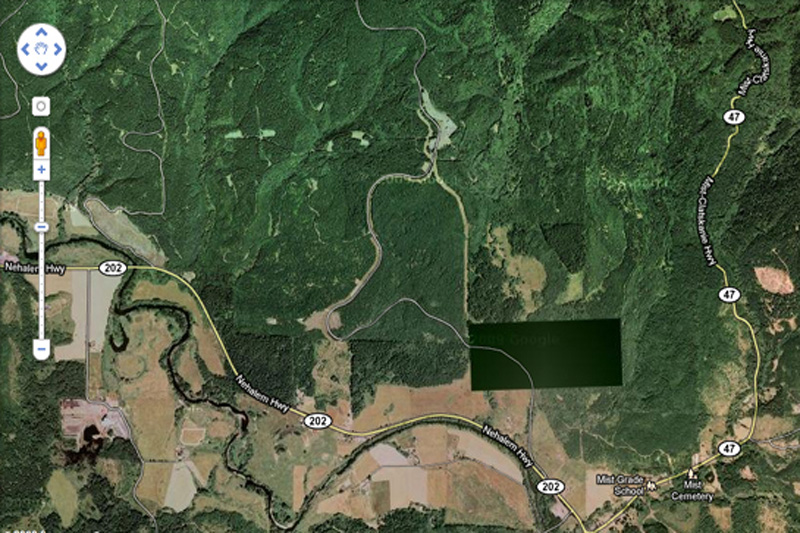
Google Maps on March 23 places that are forbidden to display on Google Maps
3. Pacific Northwest, USA
What exactly we do not see in this photo? This place is not far from the border of the states of Washington and Oregon. Enthusiasts have personally inspected the place and found nothing remarkable but ominous-looking fence and no marked entrance.
ชายฝั่งมหาสมุทรแปซิฟิกตะวันตกเฉียงเหนือ สหรัฐอเมริกา
เมื่อไปดูสถานที่จริงก็ไม่มีอะไรผิดสังเกต ทุกอย่างปกติ (แต่จริงๆ คงมีอะไรซ่อนอยู่)
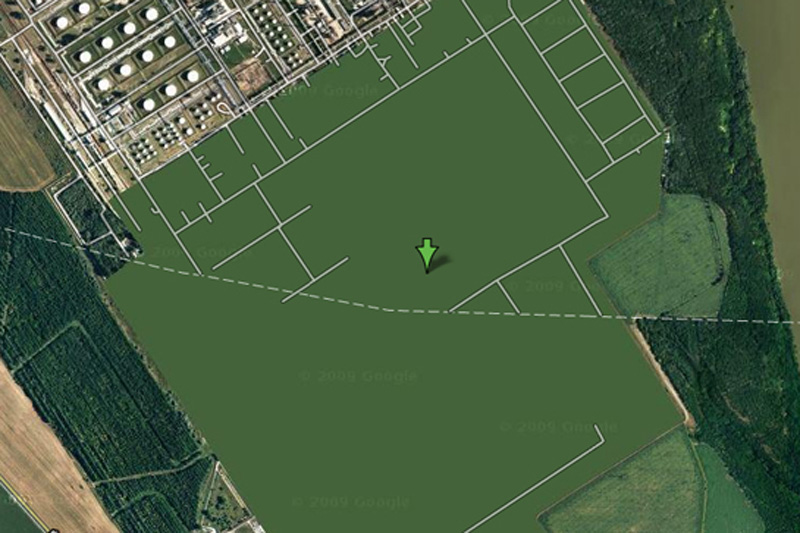
Google Maps April 23 seats, which are prohibited for display on Google Maps
4. Oil refinery Shazalombatta, Hungary
This is one of the most bizarre specimens of censorship in Google Maps - this place is just drawn in green. Area of ​​the plant is removed, the building erased, and all you can see - this is a common herb.
 โรงกลั่นน้ำมัน ประเทศฮังการี 
ดูๆ ก็ไม่มีอะไรแปลก แต่ดูด้วยกูเกิลเอิ์ธไม่ได้
Google Maps on May 23 seats, which are prohibited for display on Google Maps
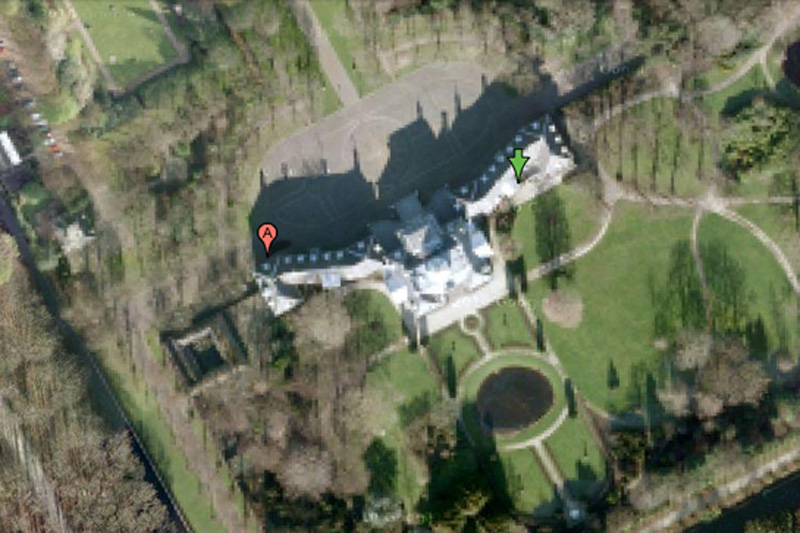
5. Palace Hyuis Ten, The Netherlands
It is difficult to imagine that the Dutch royal family can be a prime target for mad terrorists, but the royal palace Hyuis Ten severely eroded on Google Maps when viewed from any angle. (However, the surrounding area and trees at close increase seen in crystal clarity.)
พระราชวังของเนเธอร์แลนด์
เกรงว่า อาจจะเป็นเป้าโจมตีของคนที่ไม่ชอบราชวงศ์ได้ 
Google Maps June 23 seats, which are prohibited for display on Google Maps
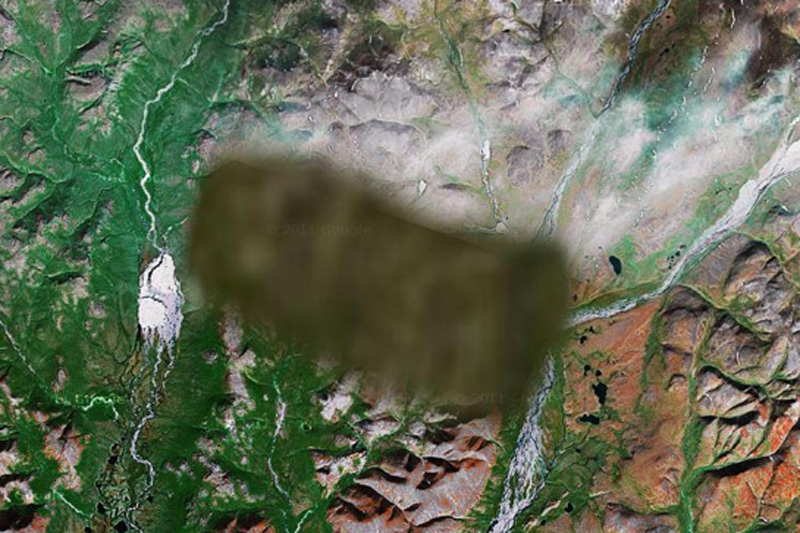
6. Unknown zone, Russia
No one knows what lies in the region. One view - that there is a "radar or missile interception system," and some say that a picture is inserted into the surrounding area from another region of Russia.
ไม่ทราบตำแหน่ง  ประเทศรัสเซีย
เป็นจุดที่ตั้งระบบป้องกันภัยทางยุทธศาสตร์ ของประเทศมหาอำนาจทางทหาร อย่างสหพันธรัฐรัสเซีย
Google Maps on July 23 seats, which are prohibited for display on Google Maps
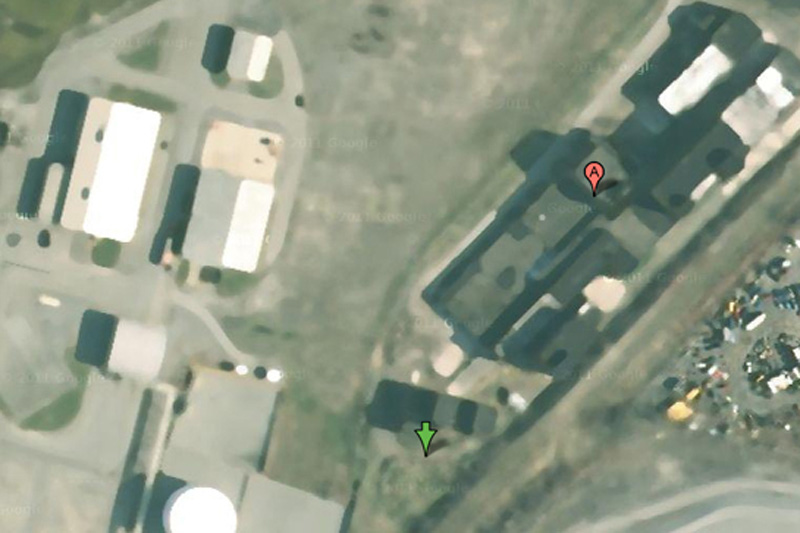
7. Oil Corporation Mobil, Buffalo, New York, USA
Some have criticized the company for Mobil of Buffalo blur pictures of her business, saying that oil companies are not much of interest to terrorists. On the other hand, we do not know what they think the terrorists themselves.
บริษัทน้ำมันยักษ์ใหญ่ โมบิลออยล์  ณ เมืองบัฟฟาโล รัฐนิวยอร์ก
คงกลัวว่า จะเป็นเป้าหมายของผู้ก่อการร้าย
Google Maps August 23 places that are forbidden to display on Google Maps
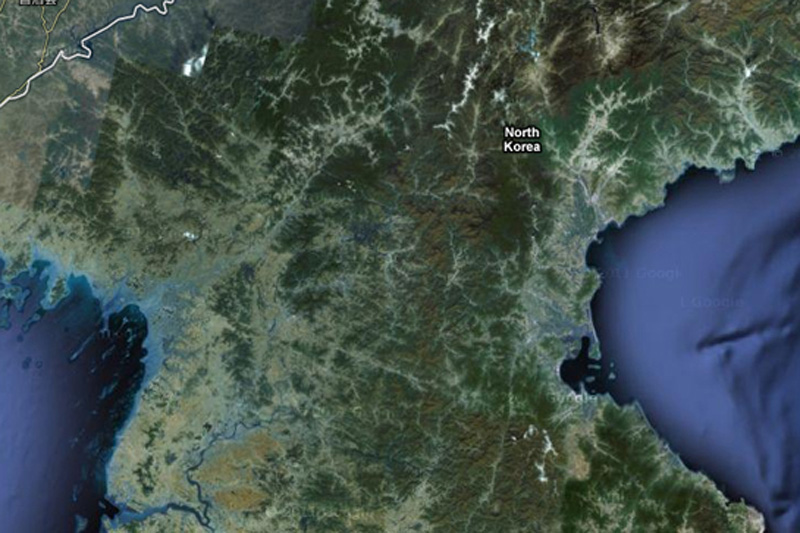
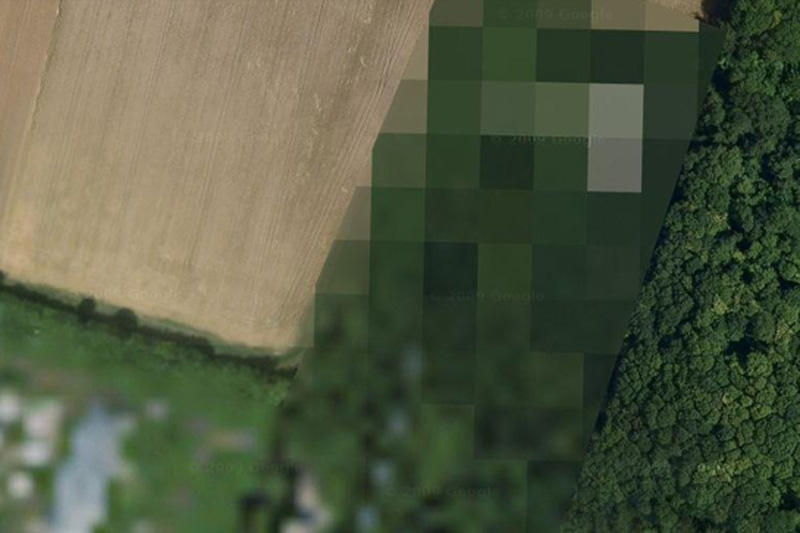
8. North Korea
About the country of the alleged "Axis of Evil", heard everything, but very few people have ever visited her. You will not see it on Google Maps, since the whole country exists in images but without road markers, street names or any other identifying details.
เกาหลีเหนือ
ประเทศที่ถูกกล่าวหาว่า เป็นแกนนำแห่งความชั่วร้าย  ก็คงต้องระวังตัวเองไม่ให้เป็นเป้าโจมตีได้
Google Maps September 23 places that are forbidden to display on Google Maps
9. The airbase at Reims, France
The reasons for this air base locked in Google Maps, is unknown.
ฐานทัพอากาศ  ประเทศฝรั่งเศส
Google Maps October 23 seats, which are forbidden to display on Google Maps
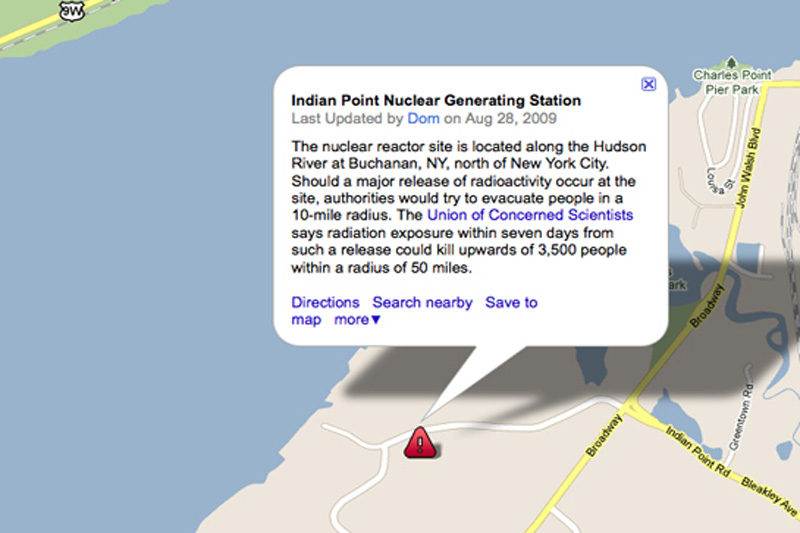
10. Indian Point Power Station, New York, USA
Many members of the government of the United States called for a halt Indian Point power plant. In addition to environmental concerns, according to experts in the field of energy, the power is not strong enough to withstand an earthquake, such as the one recently destroyed Japan.
โรงงานผลิตไฟฟ้า  รัฐนิวยอร์ก  
คงกลัวการก่อการร้ายนั่นแหละ  
Google Maps 11 23 places that are forbidden to display on Google Maps
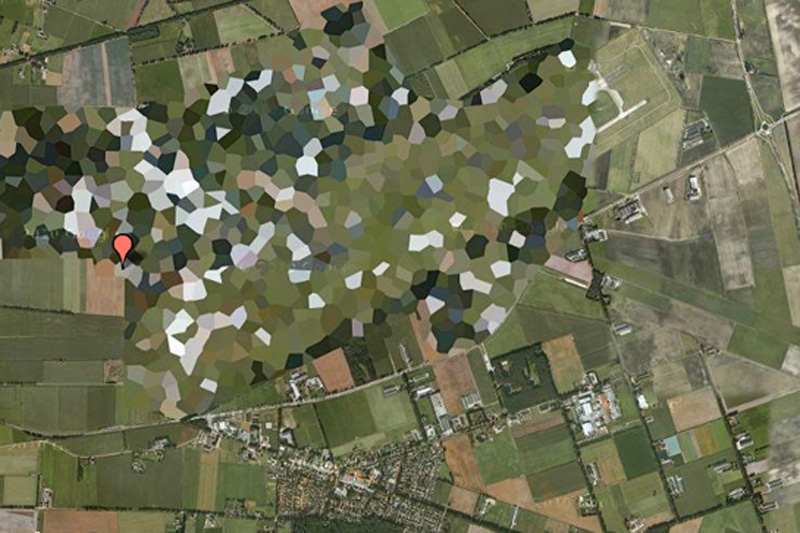
11. Volkel Air Base, Netherlands
Pretty funny to see how rough blurred this air base in satellite images, however, WikiLeaks published diplomatic correspondence, which confirms the presence of nuclear weapons on the territory of the base.
ฐานทัพอากาศ  ประเทศเนเธอร์แยนด์
Google Maps December 23 places that are forbidden to display on Google Maps
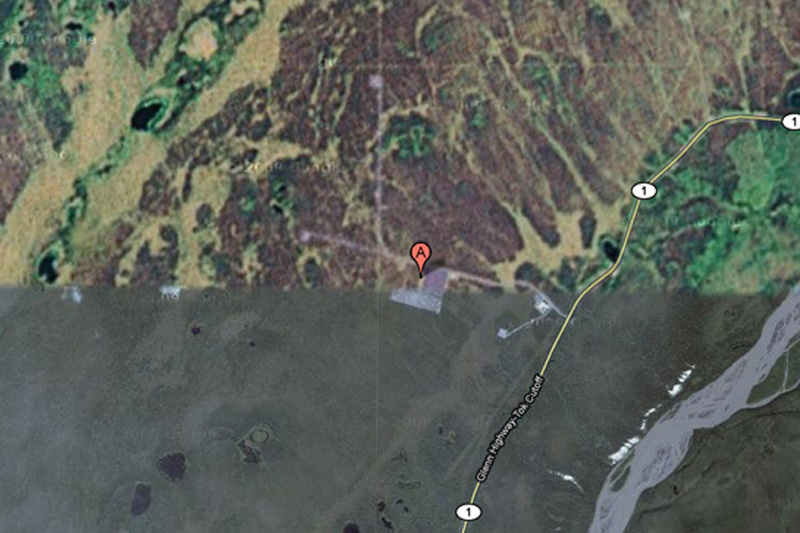
12. HAARP, Hakon, Alaska, USA
HAARP (High-Frequency Program Northern Lights) - this is one of the most controversial operations, which is currently being conducted in the United States. Hakon, space research, and ongoing experiments with the ionosphere there, some conspiracy theorists are honored to be the cause of anything - from floods to earthquakes, but very little evidence of this.
ศูนย์ศึกษาวิจัยภัยธรรมชาติ  รัฐอลาสกา (อยู่ในเขตขั้วโลกเหนือ)  สหรัฐอเมริกา
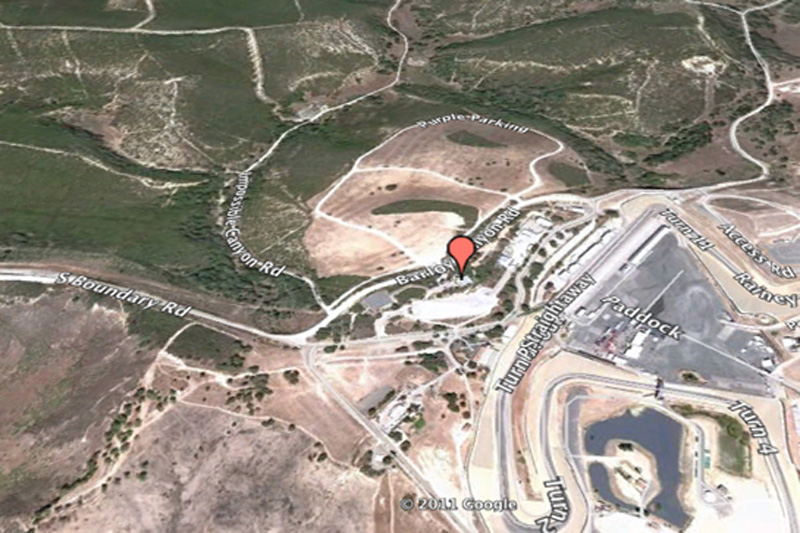

Google Maps 13, 23 beds, which are forbidden to display on Google Maps
13. Mazda Raceway Laguna Seca, Salinas, California, United States
This is one of the most bizarre examples of censorship in Google Maps: Raceway Laguna Seca in Salinas, California. The strange thing in this is the fact: it is obviously harmless racing track.
สนามแข่งรถมาสดา  มลรัฐแคลิฟอร์เนีย  สหรัฐอเมริกา
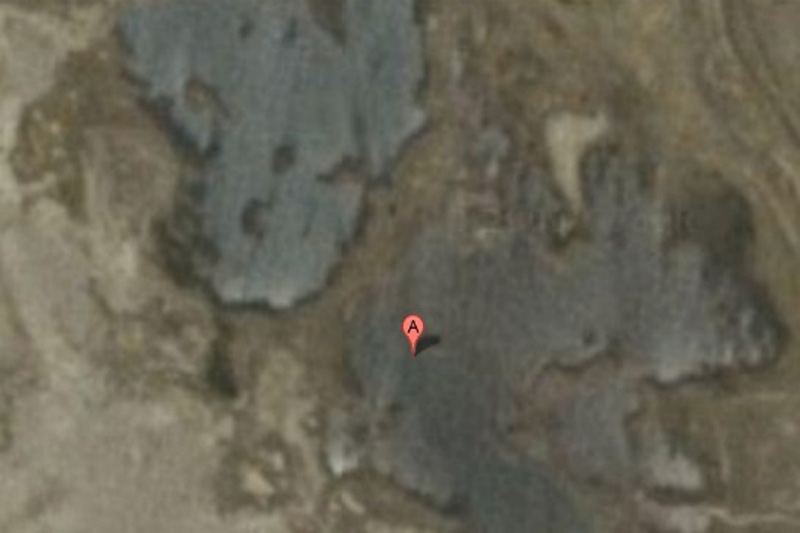
Google Maps 14, 23 beds, which are forbidden to display on Google Maps
14. Babylon, Iraq
While the surrounding area has excellent visibility, the city of Babylon in the pictures blurred. You can bet that it has something to do with local rebels ...
สวนลอยบาบิลอน  ประเทศอิรัก
เป็นของเก่าแก่มาก เป็นสิ่งมหัศจรรย์ของโลกด้วย
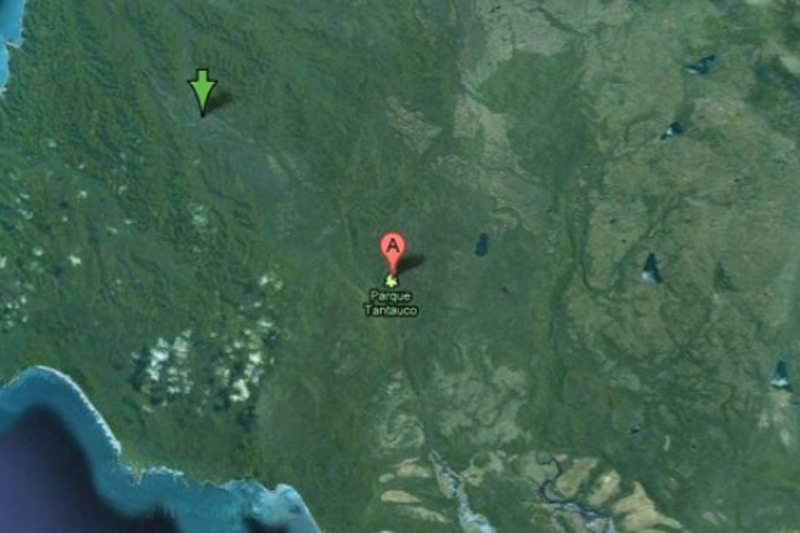
Google Maps 15, 23 beds, which are forbidden to display on Google Maps
15. Tantauko National Park, Chile
For some reason, this preserve endangered species completely excised from Google Maps? No one knows.
อุทยานแห่งชาติ ประเทศชิลี
อาจจเป็นว่า มีสัตว์และพืชหายากที่ใกล้สูญพันธ์  ก็เลยปกปิดไม่ให้ใครสอดรู้สอดเห็น
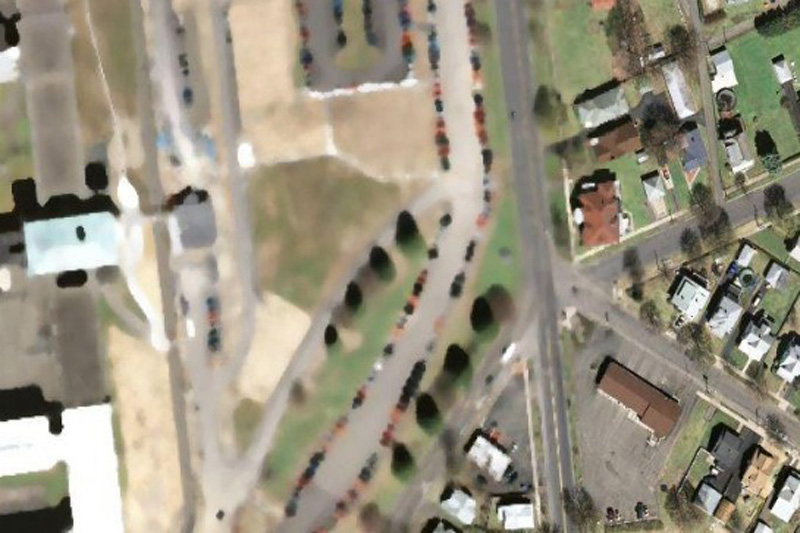
Google Maps 16, 23 beds, which are forbidden to display on Google Maps
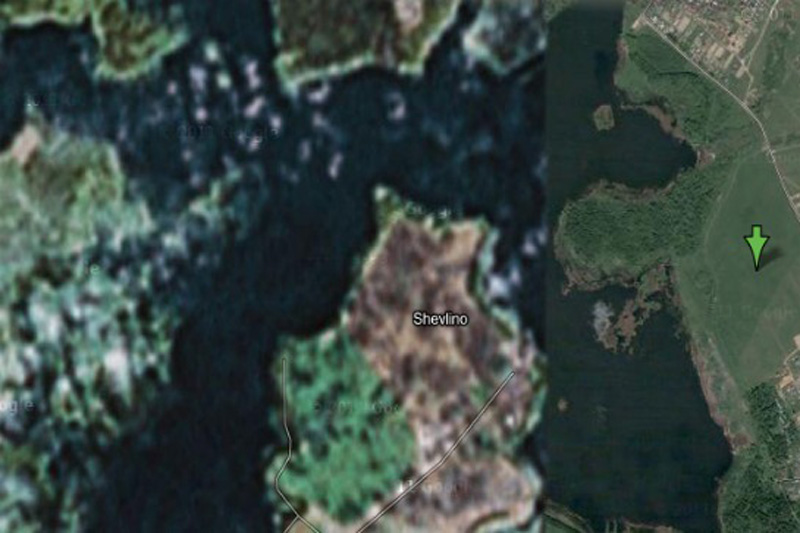
16. "The Hill", a correctional facility in Elmira, USA
This is the highest level of reliability prison in the state of New York. Perhaps, after the riots in Attica prison, and several incidents of uprisings and mass escapes around the world, the authorities can really worry about the possibility of escapes by helicopter.
ทัณฑสถาน ขื่อว่า เดอะฮิลล์  สหรัฐอเมริกา
Google Maps 17, 23 beds, which are forbidden to display on Google Maps
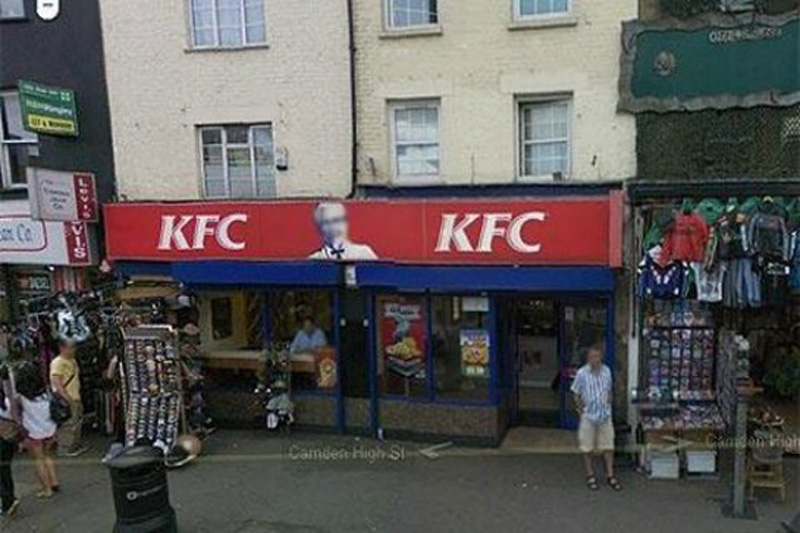
17. House Alexei Miller, Russian
According to Wikipedia, this place is a "private palace Gazprom CEO Alexei Miller." But why is it in preference to all other people? Perhaps we are just not powerful enough to convince Google to cut our homes with satellite imagery.
สถานที่ส่วนบุคคล เป็นผู้บริหารระดับสูงของบริษัทยักษ์ใหญ่ ประเทศรัสเซีย
Google Maps 18, 23 beds, which are forbidden to display on Google Maps
18. Colonel Sanders
This is the strange fact from Google: Colonel Sanders, the person network Kentucky Fried Chicken, does not appear in a single shot from Google Street View. This is because, according to representatives of Google, which Sanders was a real person, and the images of real people have to be eroded in any pictures.
พันเอกแซนเดอร์ เจ้าตำนานไก่ KFC  สหรัฐอเมริกา

Google Maps 19, 23 beds, which are forbidden to display on Google Maps
19. Faroe Islands, Denmark
It is believed that in this area there are some unpublicized military installations.
เกาะในประเทศเดนมาร์ก
คาดว่า เป็นสถานที่ติดตั้งอาวุธลับทางทหาร

Google Maps 20, 23 beds, which are forbidden to display on Google Maps
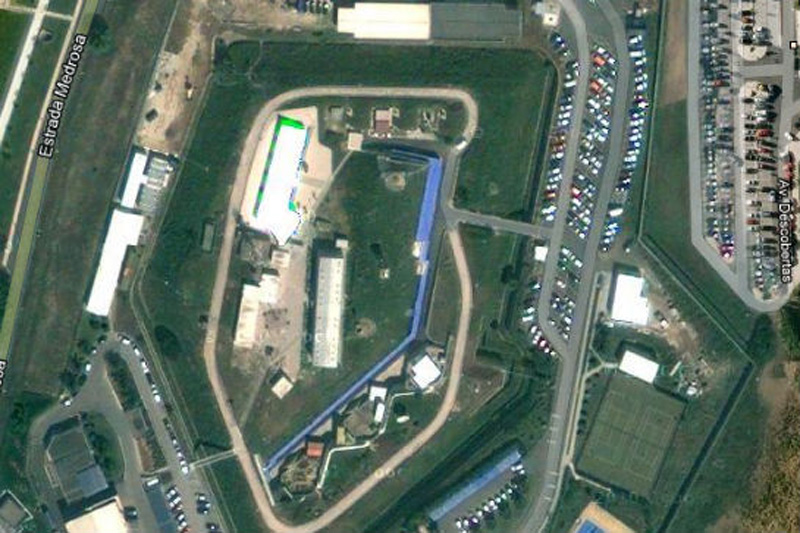
20. The NATO headquarters, Portugal
This shot would have been the most fun, if not had such a sinister context. Whoever edited the picture of Portuguese NATO headquarters, he simply copied the other part of the earth surface over the image of the building. Very strange.
กองบัญชาการนาโต  ประเทศโปรตุเกส
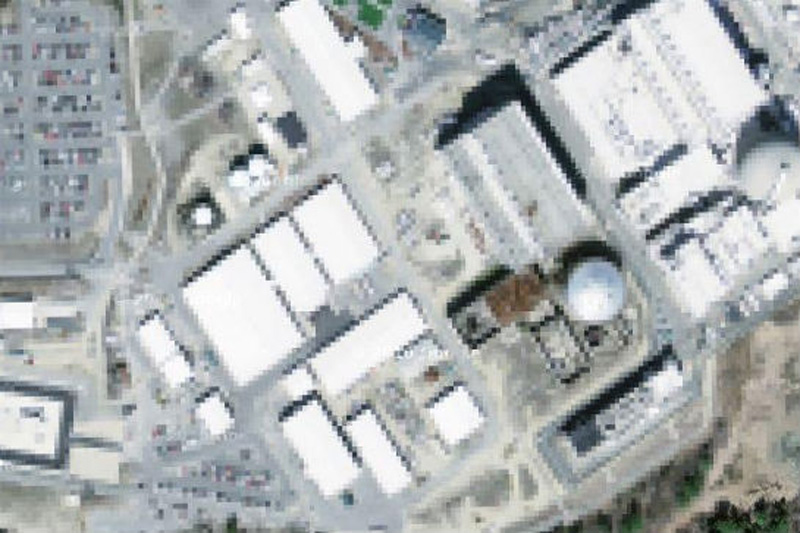

Google Maps 21, 23 beds, which are forbidden to display on Google Maps
21. Seabrook Nuclear Station, New Hampshire
It is believed that in the north-eastern part of the United States is a nuclear power plant in Seabrook.
สภานีนิเคลรียร์นิวแฮมเชอร์  สหรัฐอเมริกา
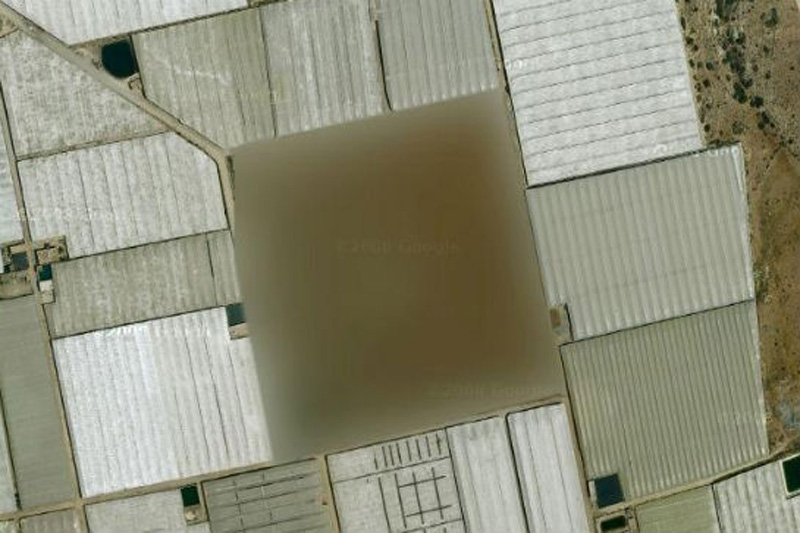

Google Maps 22, 23 beds, which are forbidden to display on Google Maps
22. Missile silo, Spain
According to one researcher, "At this place there is a small structure with something resembling a missile silo in between. What's strange - this zone is not locked in Yahoo! Maps, but its image is not Google Maps ».
ฐานปล่อยขีปนาวุธ  ประเทศสเปน

Google Maps 23, 23 beds, which are forbidden to display on Google Maps
23. Nuclear area, France
We're not quite sure, which means «The Marcoule site of the Commissariat l'Energie Atomique», but we think that the word «atomique» here is the key.
เขตพื้นที่นิวเคลียร์  ประเทศฝรั่งเศส

วันพฤหัสบดีที่ 25 กรกฎาคม พ.ศ. 2556

Visual Basic 6.0 : Exercise 2 " Pizza Order

Visual Basic 6.0 : Exercise 2 " Pizza Order
Teacher Phaitoon Yaemprasuan : occupatech@gmail.com http://picta55.blogspot.com


Exercise 2

Pizza Order Application

We had just learned about programming with Microsoft Visual Basic 6.0 and tried to create two Windows applications (using Visual Basic 6.0), the first one was "Stop Watch" and the second was "Calendar/Time". Some people have told me, the teacher, that it is interesting and challenging, while some other people have never said any word but have just thought that it is boring. Yes, the teacher realizes that programming is so valuable because it can develop anyone both systematic thinking and solving. Well, the teacher knows that anybody can never hand on it if he is not interested in programming. But, now the teaching is not over, the show must go on!
วกเราได้เรียนรู้เกี่ยวกับการโปรแกรมด้วยภาษาวิชวลเบสิก 6.0 และได้ลองพัฒนาแอ็ปปลิเคชันที่ทำงานในระบบวินโดวส์ 2 แอ็ป ด้วยกัน โดยแอ็ปแรกเป็นนาฬิกาจับเวลา แอ็ปที่สองเป็นแอ็ปบอกวันเวลา นักเรียนหลายคนก็บอกกับครูว่า "น่าสนใจและท้าทายมาก" ขณะที่นักเรียนอีกหลายคนไม่พูดอะไรสักแอ่ะ...คิดอยู่อย่างเดียวว่า "มันน่าเบื่อ" ใช่เลย..ครูตระหนักดีอยู่เสมอว่า ความจริงแล้วนะ.. การเรียนรู้เรื่องการโปรแกรมมันมีคุณค่าในตัวของมันเองอยู่แล้ว เพราะมันเป็นการพัฒนาผู้เรียนให้รู้จักการคิด/การแก้ปัญหาอย่างเป็นระบบ ครู..ทราบดีว่า.. นักเรียนคนไหนก็ตามที่รู้สึกว่าตนเองไม่สนใจในเรื่องของการโปรแกรมแล้วละก็ คงยากนะที่จะเอาดีในเรื่องนี้ได้ ... แต่ช้าก่อน... การเรียนการสอนก็คงหยุดไม่ได้ ... ก็ต้องว่ากันต่อไป..


"Pizza Order" Application
แอ็ปปลิเคชัน "สั่งพิซซ่า"

SOURCE : www.kidwares.com

1. Start a new project. We'll build a form where a pizza order can be entered by simply clicking on check boxes and option buttons.
ให้นักเรียนเข้าไปที่หน้าจอหลักของ Microsoft Visual Basic 6.0 เหมือนที่เราเคยทำ ด้วยการเลือก Standard EXE เพื่อสร้าง New project .... อย่าลืม Save นะ ซึ่งการ Save ครั้งแรก จะเป็น Save As โดยนักเรียนต้อง Save ฟอร์มก่อน แล้วจึง save โปรเจ็กต์ ... เลือก Folder ให้เรียบร้อย (เรื่องนี้ นักเรียนถูกย้ำมาจนเป็นทักษะดีอยู่แล้วจากครูผู้สอน) ตอนนี้เรากำลังจะสร้างแอ็ปสั่งพิซซ่า โดยผู้ใช้ก็แค่ทำการคลิกเลือกตัวเลือก และติ๊กรายการต่างๆ แล้วสั่งการผ่านปุ่มคำสั่ง..

2. Draw three frames. In the first, draw three option buttons, in the second, draw two option buttons, and in the third, draw six check boxes. Draw two option buttons on the form. Add two command buttons. Make things look something like this.
ให้นักเรียนวาดเฟรม (frame) 3 เฟรม แล้ววาดปุ่มอ็อปชัน (option button) ใส่ไว้ในเฟรมแรก 3 ปุ่ม ส่วนเฟรมที่สองวาดปุ่มอ็อปชันใส่ไว้ 2 ปุ่ม ส่วนเฟรมที่สามวาด check box ใส่ไว้ 6 ช่อง ด้วยกัน แล้ววาดปุ่มอ็อปชันอีกสองปุ่มใส่ไว้ในฟอร์ม (ดูโซน 4 ประกอบ) และวาด command button (ปุ่มคำสั่ง) สองปุ่ม (ไว้ในโซน 5)

Fig.1 The Form which is being designed by us.
นี่เป็นฟอร์มที่กำลังได้รับการออกแบบจากนักเรียน


3. Set the properties of the form and each control.
หลังจากออกแบบเสร็จแล้ว ต่อไปนักเรียนต้อง set the properties (ตั้งค่าคุณสมบัติ) ของฟอร์ม และคอนโทรล (control )แต่ละตัว ดังนี้


  • Form1:
BorderStyle 1-Fixed Single
Caption Pizza Order
Name frmPizza
  • Frame1:
Caption Size

  • Frame2:
Caption Crust Type

  • Frame3
Caption Toppings


  • Option1:
Caption Small
Name optSize
Value True

  • Option2:
Caption Medium
Name optSize (yes, create a control array)

  • Option3:
Caption Large
Name optSize

  • Option4:
Caption Thin Crust
Name optCrust
Value True

  • Option5:
Caption Thick Crust
Name optCrust (yes, create a control array)

  • Option6:
Caption Eat In
Name optWhere
Value True

  • Option7:
Caption Take Out
Name optWhere (yes, create a control array)

  • Check1:
Caption Extra Cheese
Name chkTop

  • Check2:
Caption Mushrooms
Name chkTop (yes, create a control array)

  • Check3:
Caption Black Olives
Name chkTop


  • Check4:
Caption Onions
Name chkTop

  • Check5:
Caption Green Peppers
Name chkTop

  • Check6:
Caption Tomatoes
Name chkTop

  • Command1:
Caption &Build Pizza
Name cmdBuild

  • Command2:
Caption E&xit
Name cmdExit


4. Declare the following variables in the general declarations area:
ให้นักเรียนเลือก View/Code แล้วพิมพ์ Source codes ในส่วนของ general declarations (ส่วนประกาศทั่วไป) เพื่อประกาศตัวแปร (to declare the variables) 3 ตัว เป็นตัวแปรชนิด String (เก็บข้อมูลที่เป็นข้อความ) ได้แก่ PizzaSize (เก็บข้อมูลขนาดของพิซซ่าที่ลูกค้าสั่ง), PizzaCrust (เก็บข้อมูลว่า ลูกค้าสั่งพิซซ่าที่มีขอบบางหรือหนา), PizzaWhere (เก็บข้อมูลว่า พิซซ่าที่ลูกค้าสั่งนั้น จะกินที่ร้าน หรือแพ็กห่อ)

Option Explicit
Dim PizzaSize As String
Dim PizzaCrust As String
Dim PizzaWhere As String


5. Attach this code to the Form_Load procedure. This initializes the pizza size, crust, and eating location.
ให้นักเรียนผูกโค้ด (attach code) เข้ากับฟอร์ม (โดยการทำดับเบิลคลิกที่ฟอร์ม ก็จะเข้าสู่โมดูล หรือโพรซิเยอร์ (procedure) ที่ชื่อ Form_Load แล้วนักเรียนก็ใส่โค้ดเข้าไป บรรดาโค้ดตรงนี้ จะเป็นการกำหนดค่าเริ่มต้น (initialization) ให้กับตัวแปรทั้งสามตัว ที่เราประกาศไว้ คือ PizzaSize, PizzaCrust และ PizzaWhere

Private Sub Form_Load()
PizzaSize = "Small"
PizzaCrust = "Thin Crust"
PizzaWhere = "Eat In"
End Sub


6. Attach this code to the three option button array Click events. Note the use of the Index variable:
ให้นักเรียน attach code เข้ากับปุ่มอ็อปชันในแต่ละเฟรม (โดยดับเบิลคลิกที่ปุ่มอ็อปชันใดๆ ในเฟรมนั้น แล้วใส่โค้ด)


Private Sub optSize_Click(Index As Integer)
[ดับเบิลคลิกที่ปุ่ม optSize (ใดก็ได้ในสามปุ่ม ของโซน 1) แล้วใส่โค้ดข้างล่างนี้เข้าไป ]
PizzaSize = optSize(Index).Caption
(โค้ดนี้ จะให้อ่านค่า จำนวนเต็ม 0, 1 หรือ 2 ซึ่งแทนขนาดเล็ก กลาง ใหญ่ ของขนาดถาดพิซซ่า เอาค่าไปเก็บไว้ในตัวแปร PizzaSize)
End Sub

Private Sub optCrust_Click(Index As Integer)
[ดับเบิลคลิกที่ปุ่ม optCrust (ใดก็ได้ในสองปุ่ม ของโซน 2) แล้วใส่โค้ดข้างล่างนี้เข้าไป ]
PizzaCrust = optCrust(Index).Caption
(โค้ดนี้ จะให้อ่านค่า จำนวนเต็ม 0 หรือ 1 ซึ่งแทนขอบพิซซ่า อย่างบาง หรืออย่างหนา เอาค่าไปเก็บไว้ในตัวแปร PizzaCrust)
End Sub


Private Sub optWhere_Click(Index As Integer)
[ดับเบิลคลิกที่ปุ่ม optWhere (ใดก็ได้ในสองปุ่ม ของโซน 4) แล้วใส่โค้ดข้างล่างนี้เข้าไป ]
PizzaWhere = optWhere(Index).Caption
(โค้ดนี้ จะให้อ่านค่า จำนวนเต็ม 0 หรือ 1 ซึ่งแทนว่าจะกินพิซซ่าที่ไหน กินที่ร้าน หรือนำกลับบ้าน เอาค่าไปเก็บไว้ในตัวแปร PizzaWhere)
End Sub


7. Attach this code to the cmdBuild_Click event.
ให้นักเรียน attach code ต่อไปนี้ เข้าไปที่ปุ่มคำสั่ง cmdBuild

Private Sub cmdBuild_Click()
Dim Message As String
Dim I As Integer
Message = PizzaWhere + vbCr
Message = Message + PizzaSize + " Pizza" + vbCr
Message = Message + PizzaCrust + vbCr
For I = 0 To 5
If chkTop(I).Value = vbChecked Then Message = Message + chkTop(I).Caption + vbCr
Next I
MsgBox Message, vbOKOnly, "Your Pizza"
End Sub


This code forms the first part of a message for a message box by integrating the pizza size, crust type, and eating location (vbCr is a symbolic constant representing a ‘carriage return’ that puts each piece of ordering information on a separate line). Next, the code cycles through the six topping check boxes and adds any checked information to the message. The code then displays the pizza order in a message box.
โค้ดในส่วนนี้ จะทำการสร้าง message ในลักษณะของ message box ที่จะบูรณาการเอา ขนาดของพิซซ่า ขอบหนาหรือบาง และจะกินที่ร้านหรือแพ็กกล่อง (vbCr คือ symbolic constant หรือค่าคงที่ ในภาษาวิชวลเบสิกที่หมายถึงการสั่งให้ขึ้นบรรทัดใหม่ หรือ carriage return ก็คือ "การปัดแคร่" ซึ่งขอยืมศัพท์ของพิมพ์ดีดมาอีกทีนั่นเอง)


8. Attach this code to the cmdExit_Click event.
ผูกคำสั่ง End เข้ากับปุ่มคำสั่ง cmdExit
Private Sub cmdExit_Click()
End
End Sub


9. Run the application, the message box will be appeared.
เมื่อรันโปรแกรม ก็จะได้ application ที่มี user interface แบบนี้


The Application User Interface
นี่คือหน้าตาของแอ็ปปลิเคชันของเรา


Message Box
เม็ซเสซบ็อกซ์ที่ได้

วันอาทิตย์ที่ 14 กรกฎาคม พ.ศ. 2556

FacebookDC

FacebookDC

Facebook Data Center ศุนย์ข้อมูลของเฟซบุ๊ก
Teacher : Phaitoon Yaemprasuan :
http://picta55.blogspot.com

[SOURCE : http://www.bigpicture.ru]

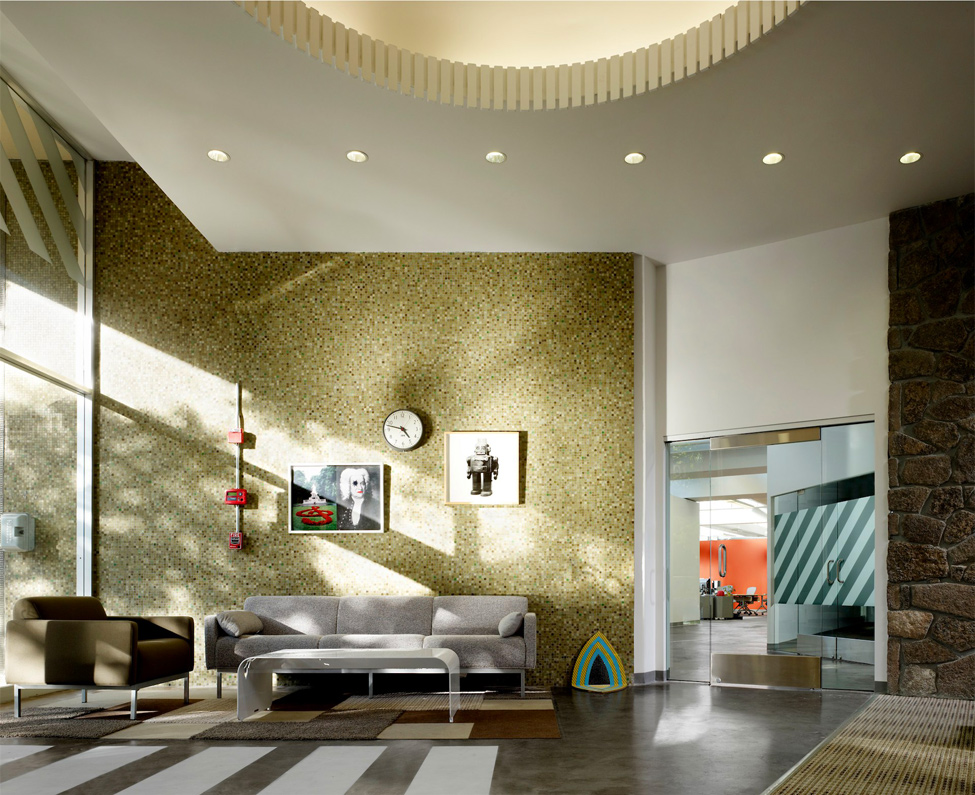
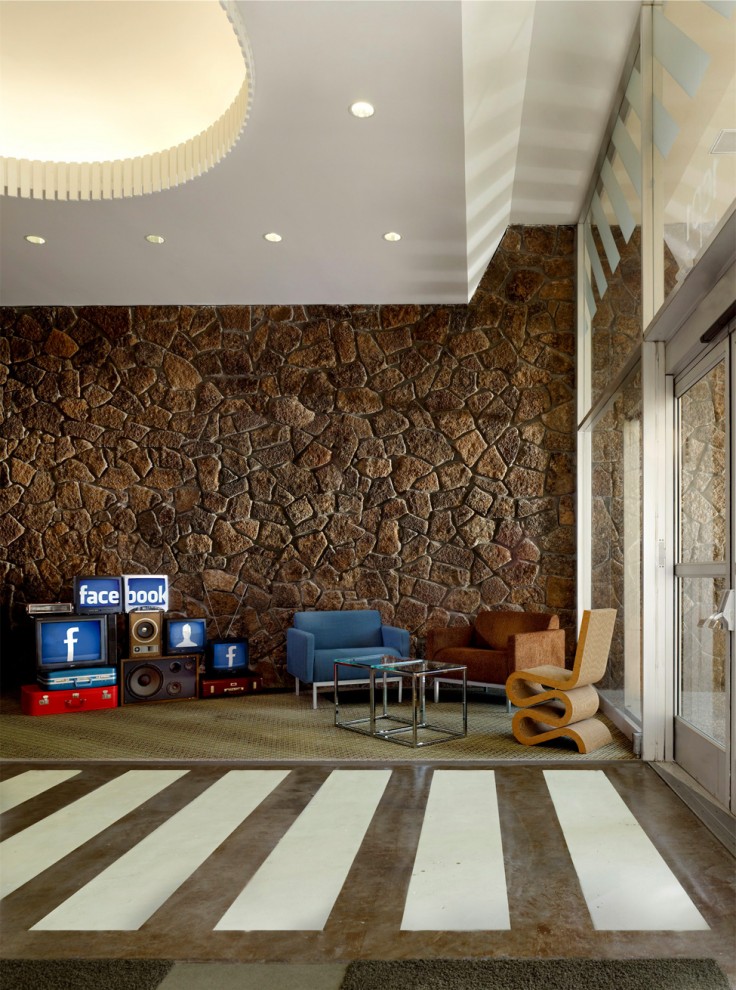
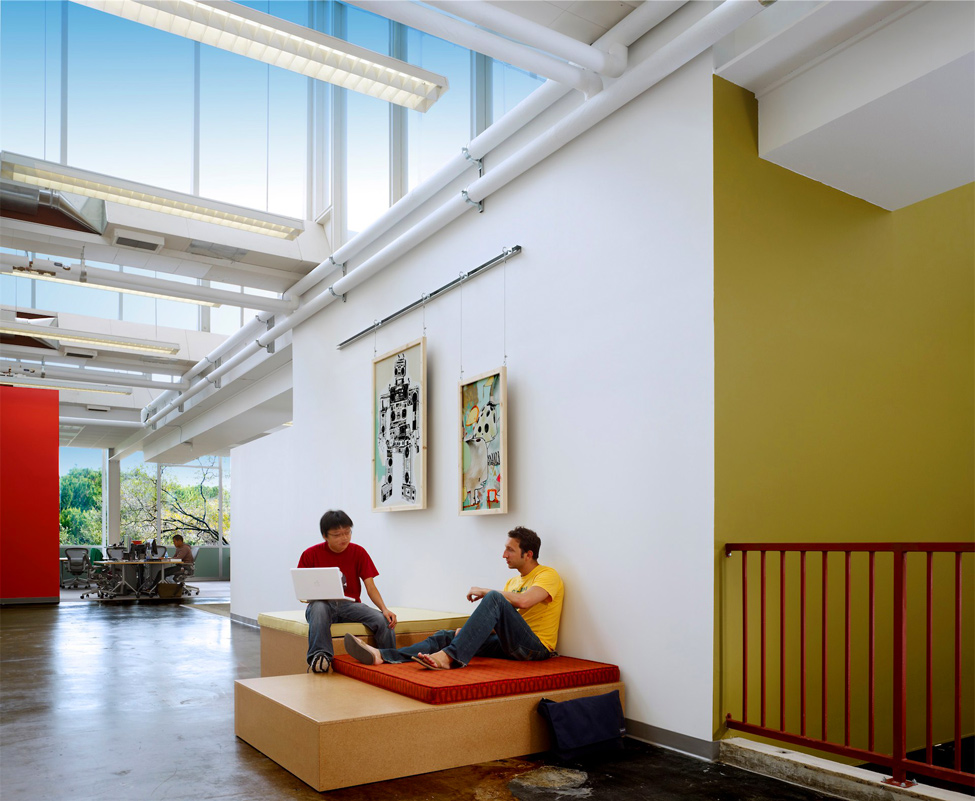
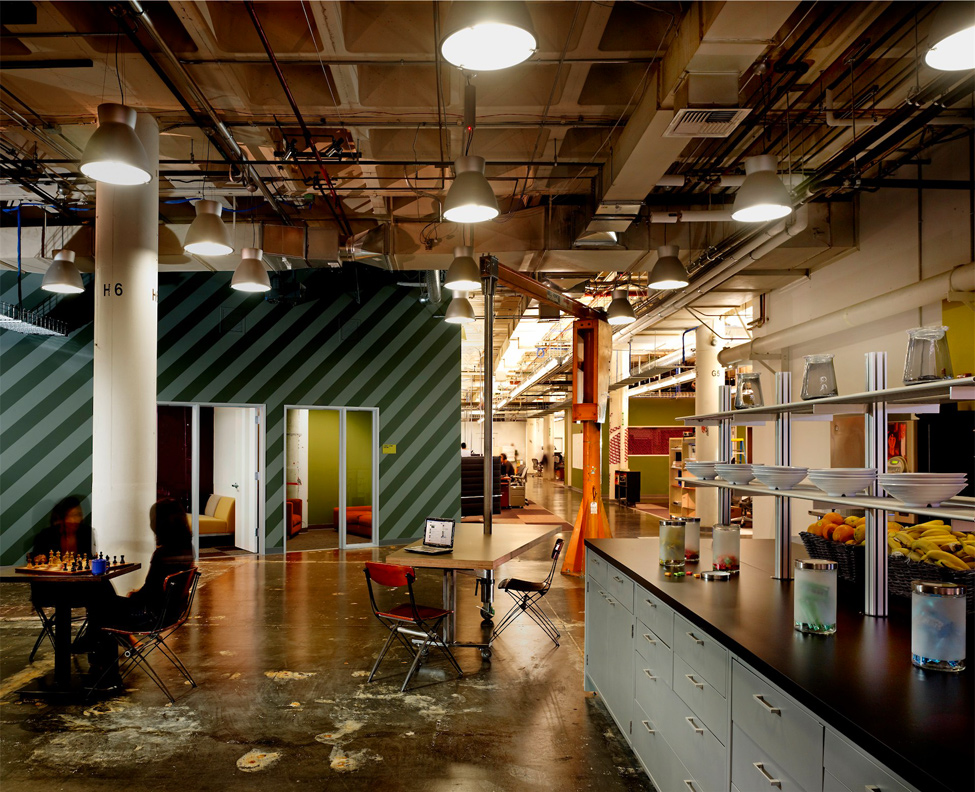
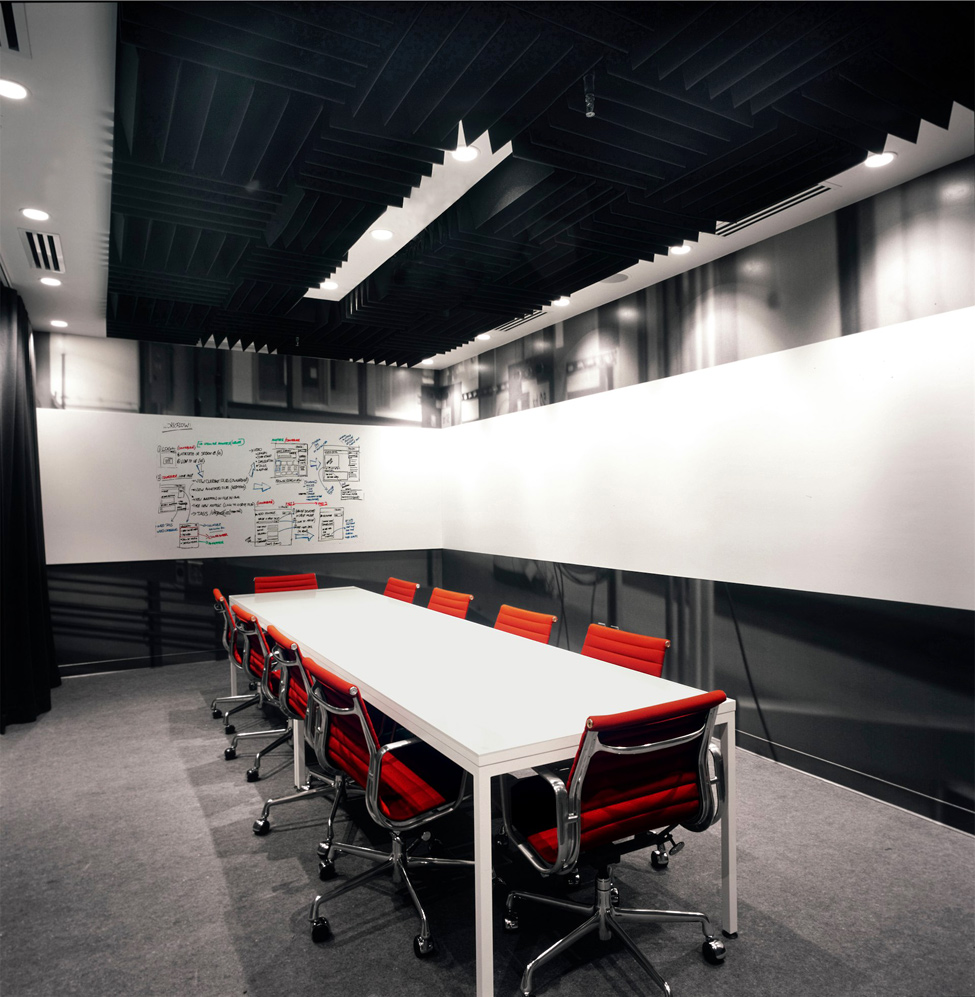
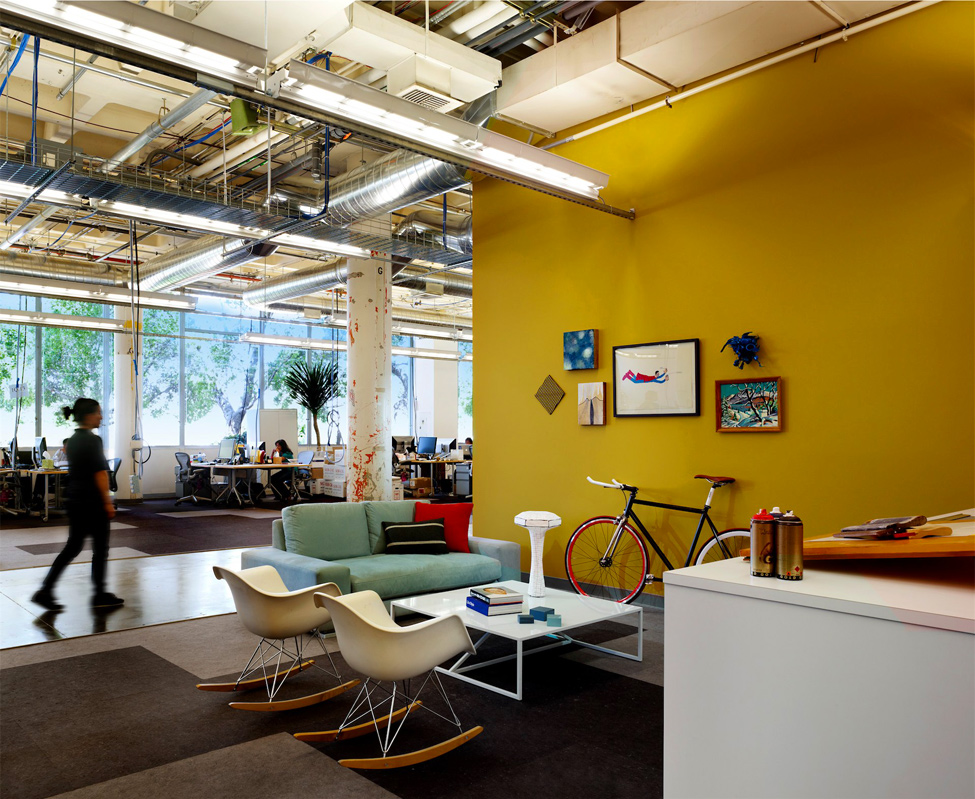
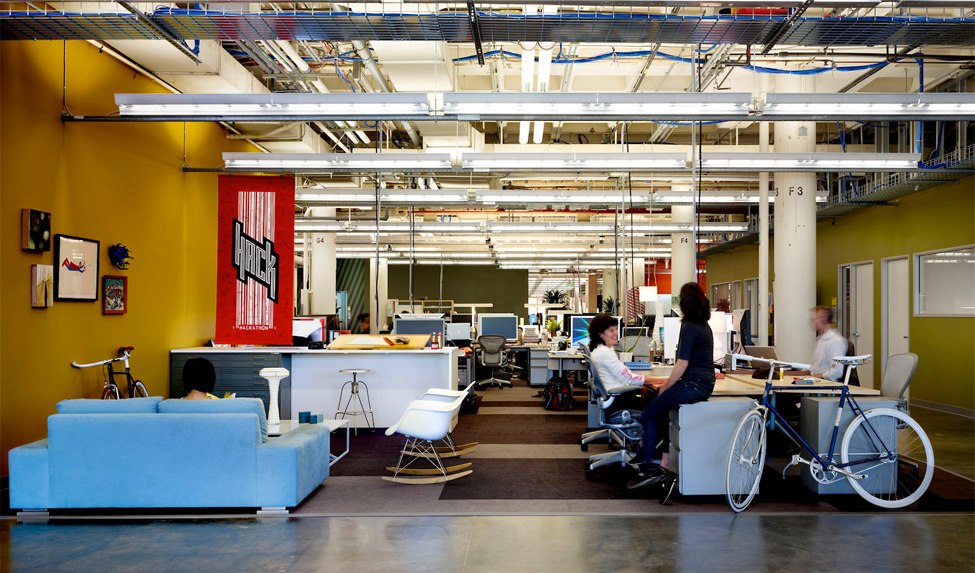
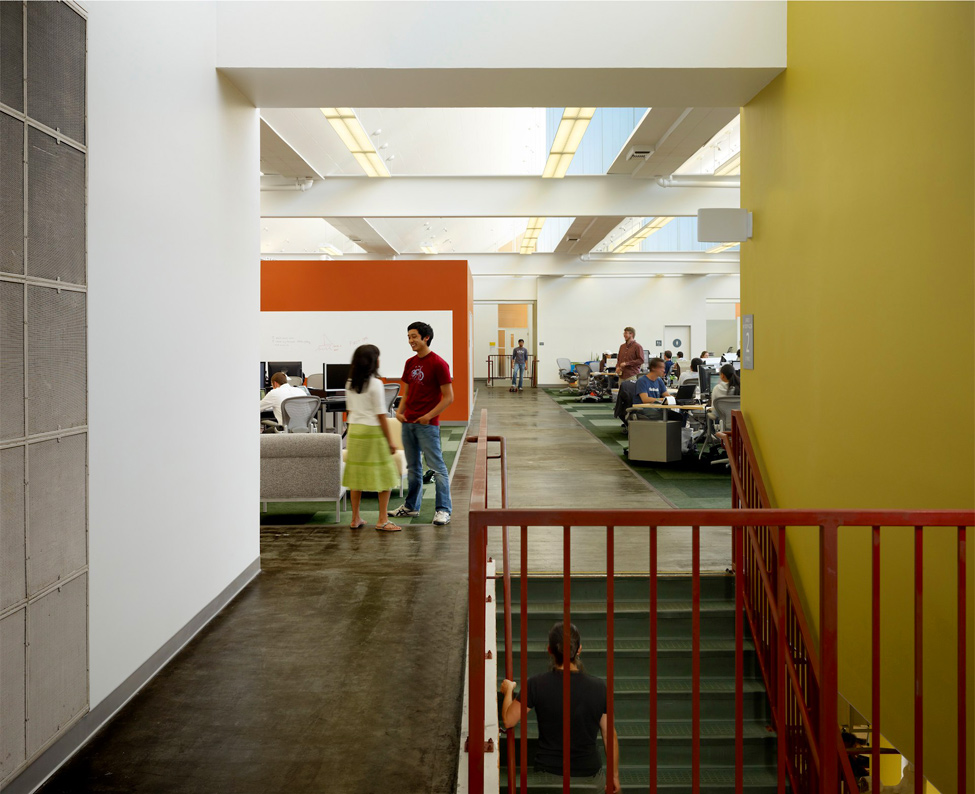
Well, let's look at the world class Information and Technology company, Facebook, that serves millions of people globally. But their Head office is so common like any other office.
เอาล่ะ... นักเรียน อยากให้เรามาดูบริษัทระดับโลกอย่าง Facebook ที่ให้บริการคนหลายล้านคนทั่วทั้งโลกาใบใหญ่นี้ ดูอ็อฟฟิศสำนักงานใหญ่ของพวกเขาสิ ธรรมดาๆ บ้านๆ ซะจริงๆ (พวกฝรั่งเขาจะทำอะไรเรียบง่าย ไม่มากพิธี ไม่มีอะไรยุ่งยาก แต่คุณภาพงานของพวกเขาที่ออกมานั้น สุดยอด)


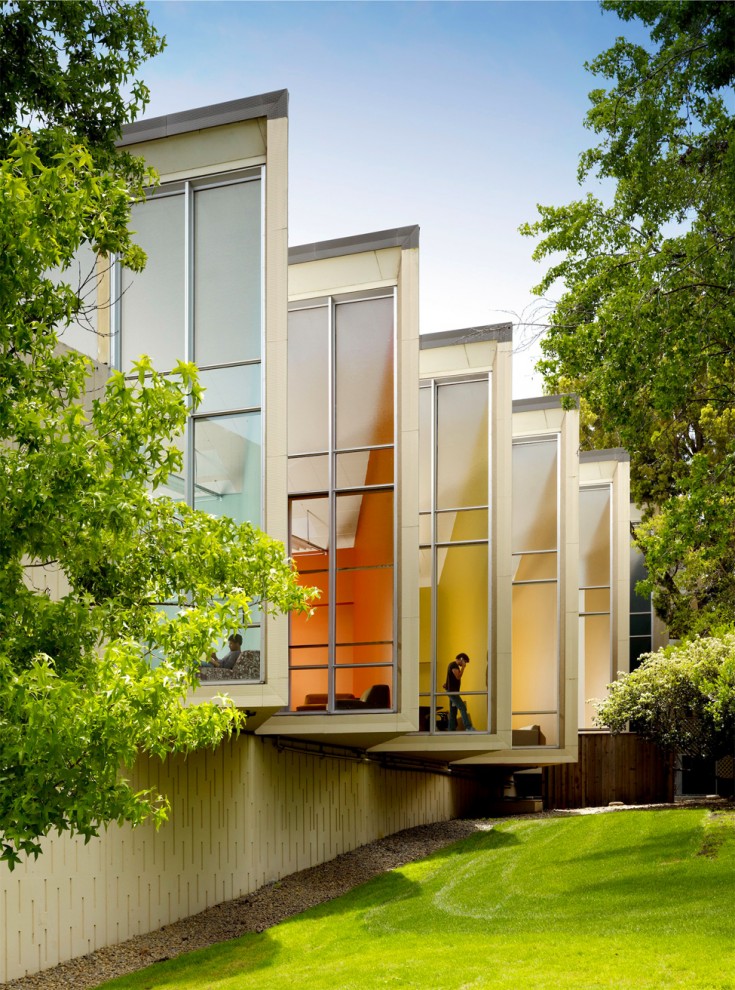
Head Office of Facebook is in Palo Alto, California.
สำนักงานใหญ่เฟสบุ๊ก ณ เมืองพาโลอัลโต มลรัฐแคลิฟอร์เนีย

1309 Head office of Facebook

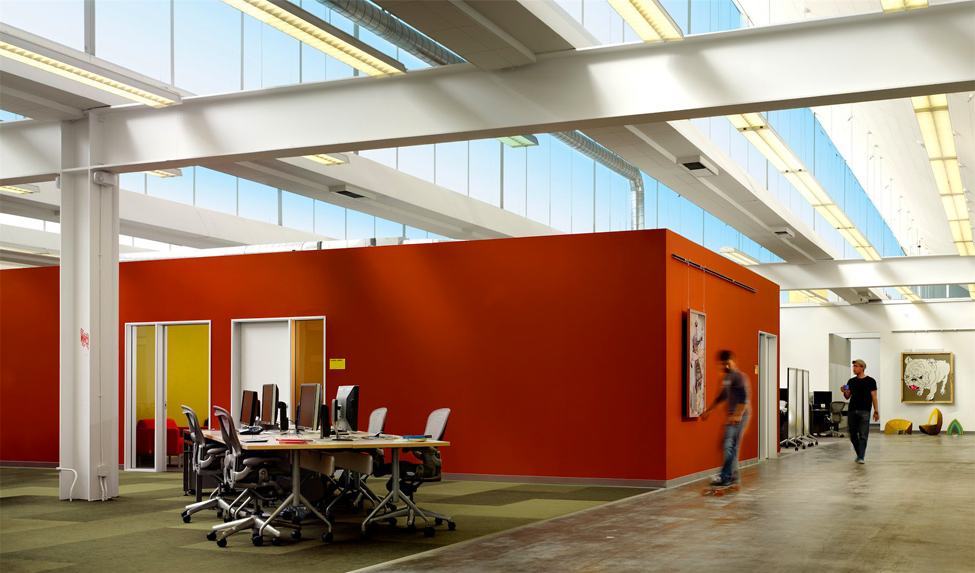
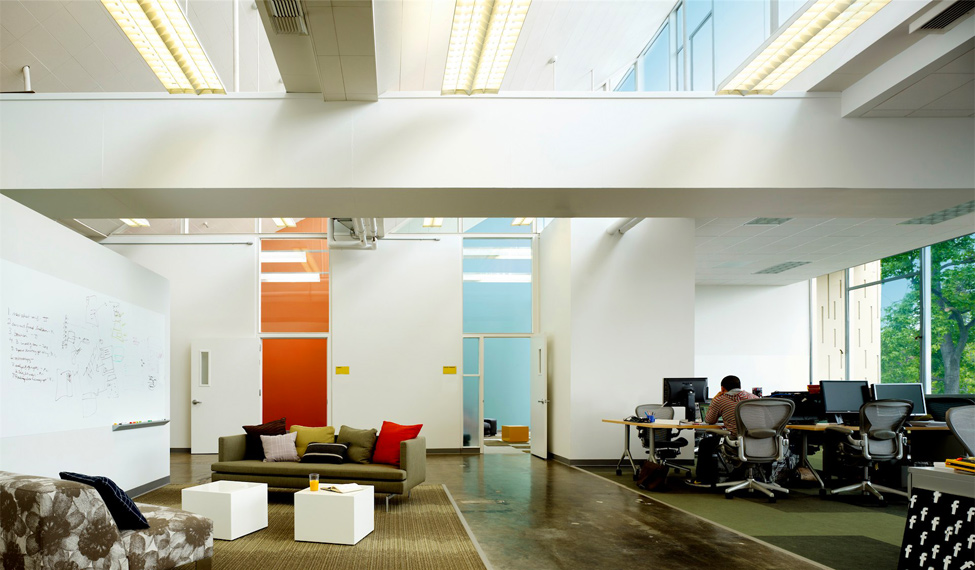
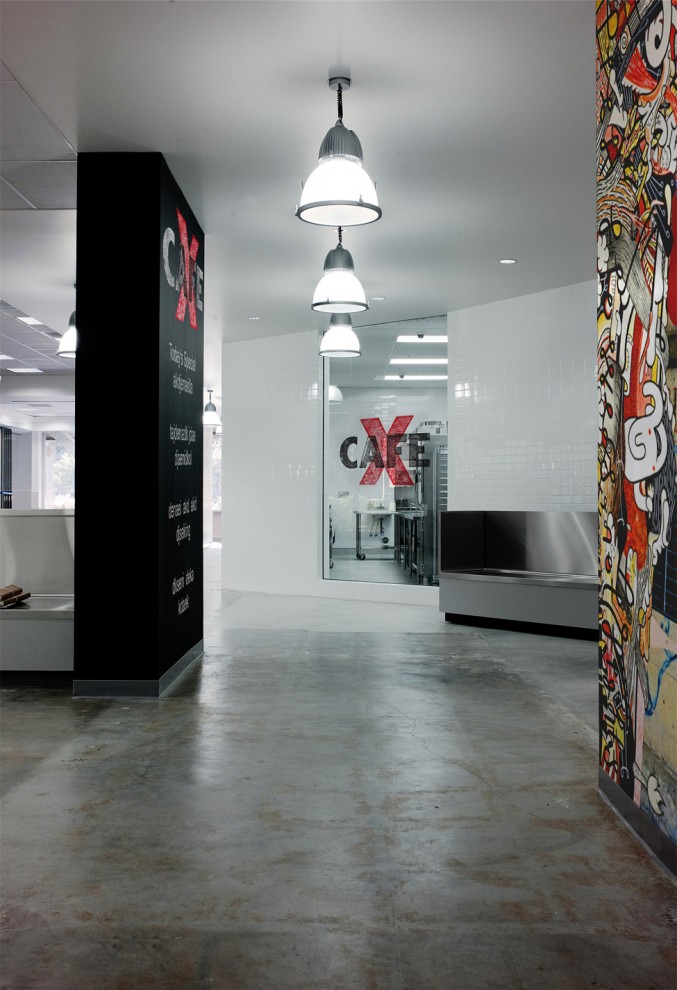
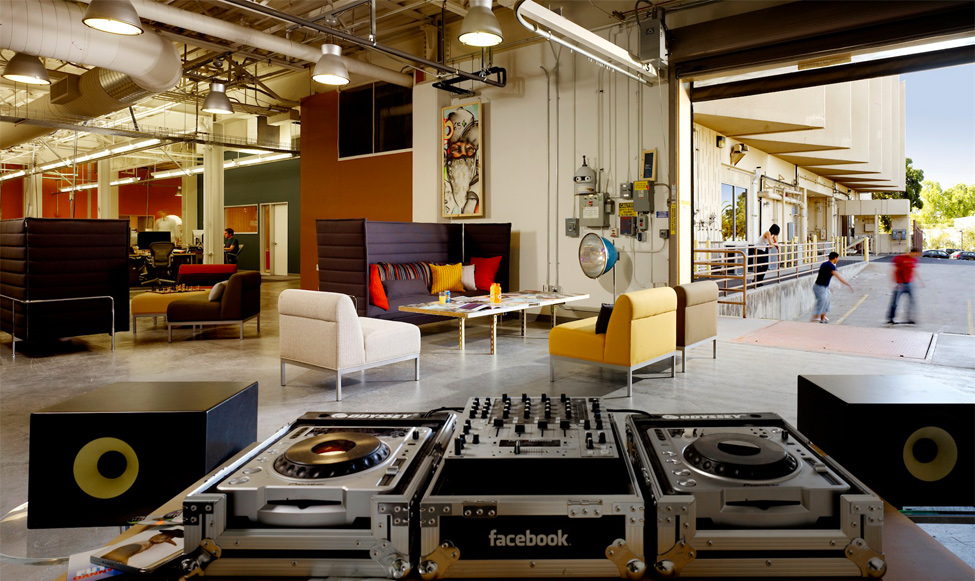
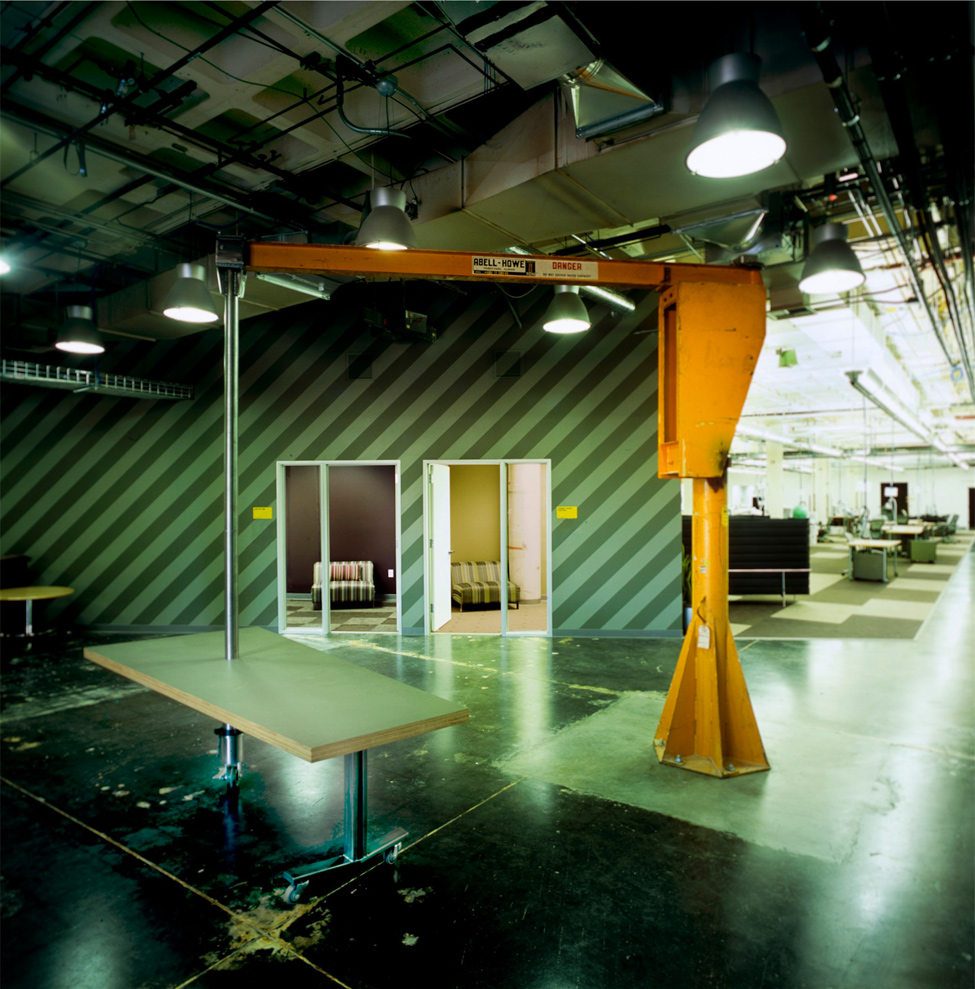
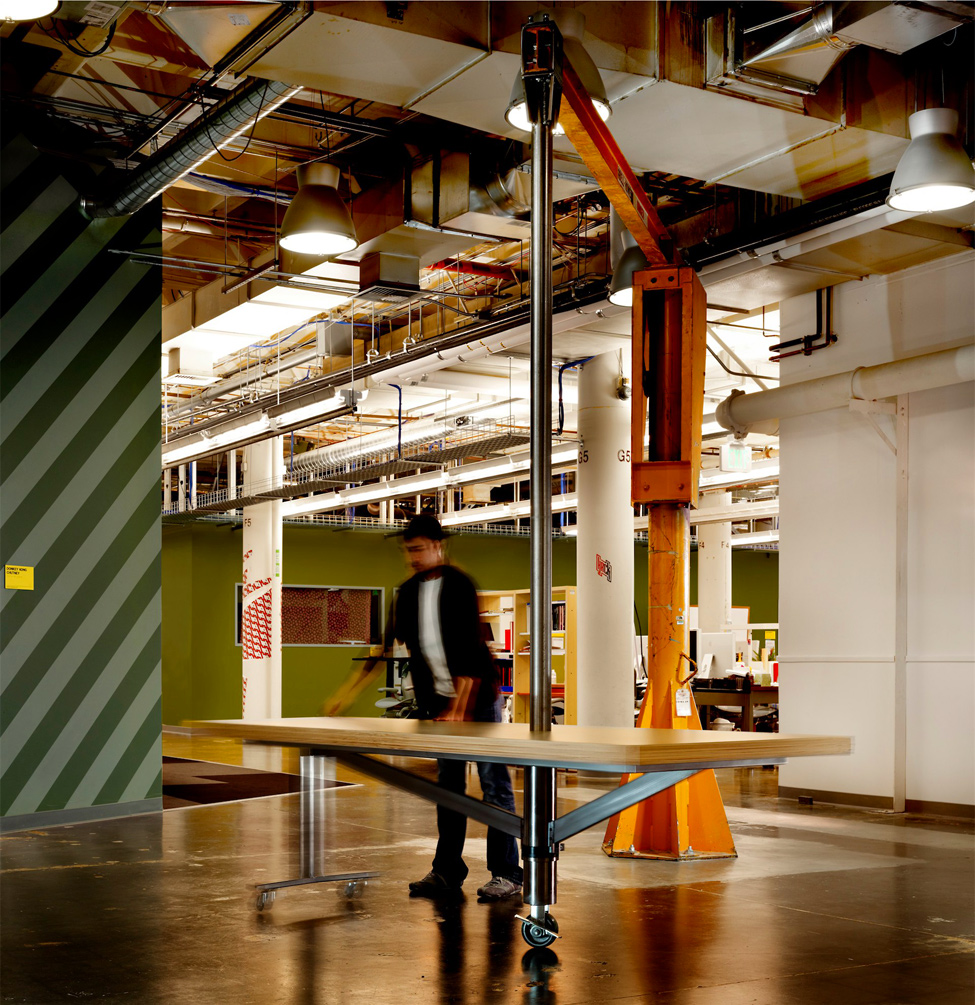
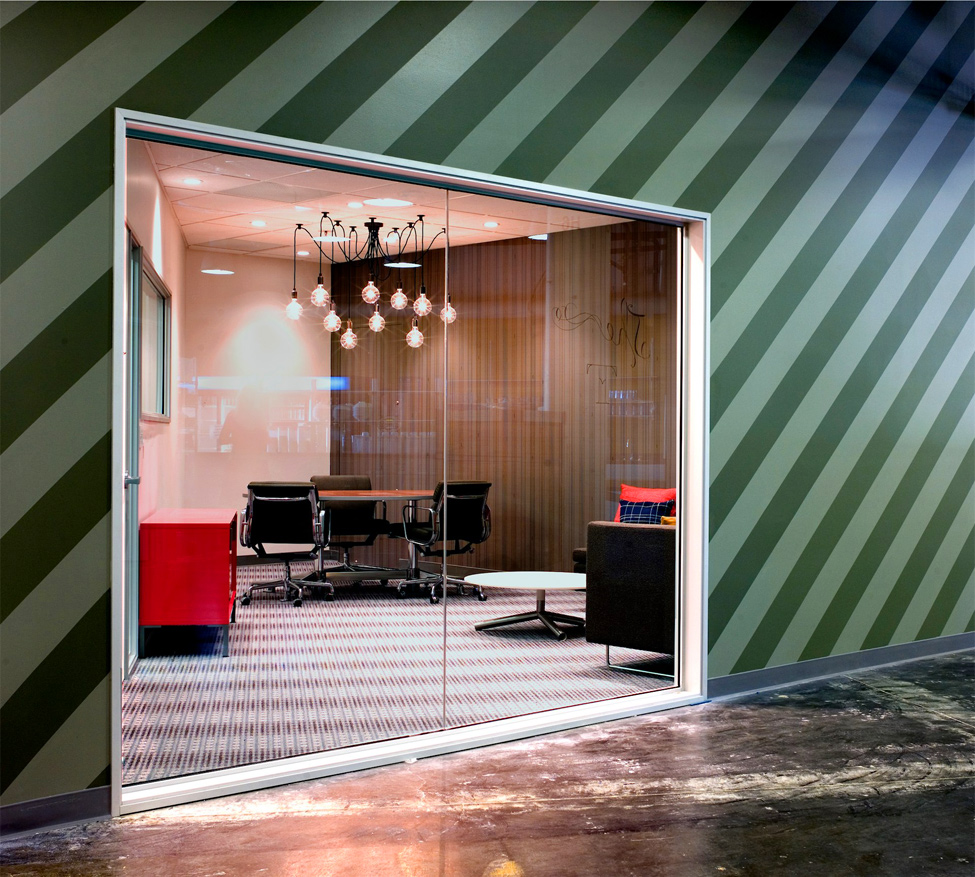
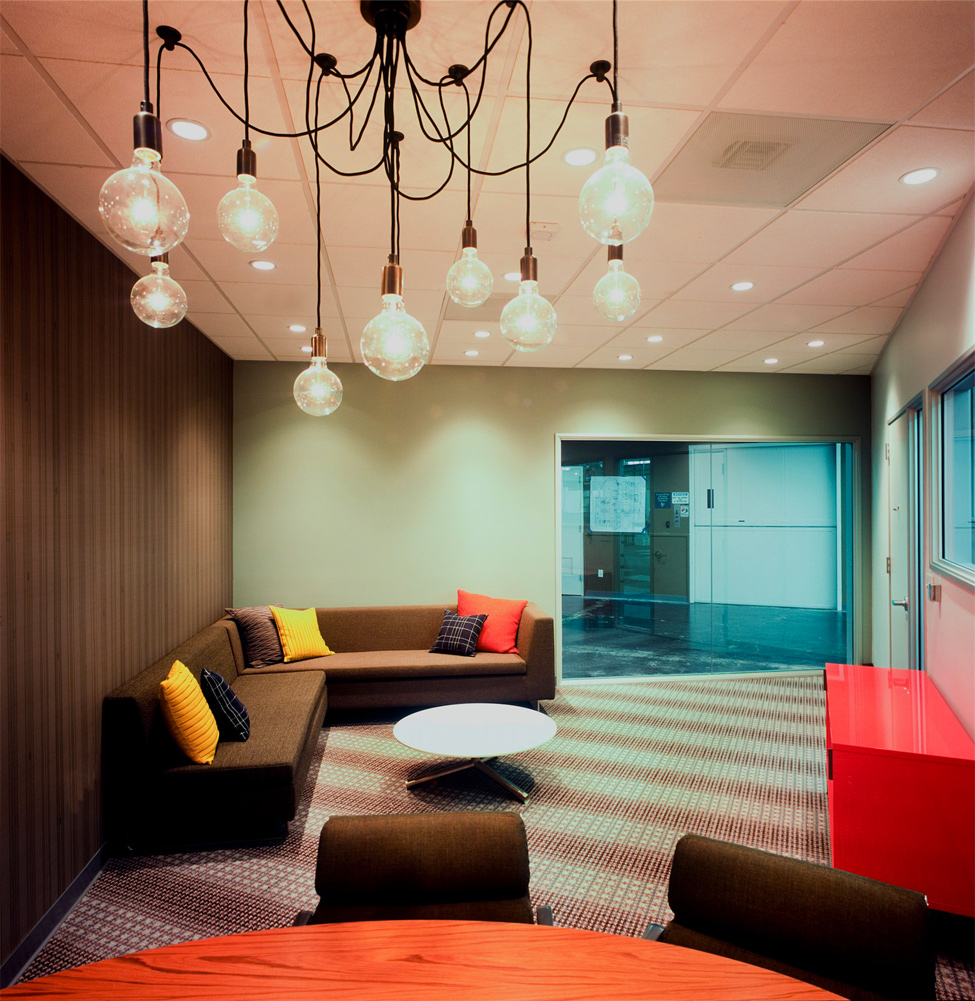
We can see that their office is not sophisticated but very common.
นักเรียนคงเห็นแล้วนะว่า ออฟฟิศใหญ่ของ Facebook ก็ไม่ได้เลิศหรูสลับซับซ้อนอะไร แบบบ้านๆ ธรรมดาๆ (เพราะความ Hitech จะไปอยู่ที่ Data Center แทน)

1309 Head office of Facebook
1.
2247 Head office of Facebook
2.

3198 Head office of Facebook
3.

4163 Head office of Facebook
4.

5143 Head office of Facebook
5.
6135 Head office of Facebook
6.
7133 Head office of Facebook
7.
8120 Head office of Facebook
8. .
9104 Head office of Facebook
9. .
1097 Head office of Facebook
10.
11129 Head office of Facebook
11.
12107 Head office of Facebook
12.
1385 Head office of Facebook
13.
1482 Head office of Facebook
14.
1578 Head office of Facebook
15. Their office is like any common office, nothing is superb.
ออฟฟิศดูธรรมดาๆ บ้านๆ เหมือนออฟฟิศทั่วไปที่ไหนๆ นั่นเอง ไม่มีสิ่งไหนเลยที่เลิศลอยเกินเลย
1673 Head office of Facebook
16. The employees has never ware any uniform.
พนักงานของเขา ก็แต่งตัวแบบง่ายๆ บ้านๆ ไม่ต้องมีเครื่องแบบอะไรให้มากพิธี
1767 Head office of Facebook

GoogleDC

GoogleDC

Google Data Centers ศูนย์ข้อมูลของ Google

Teacher Phaitoon Yaemprasuan : http://www.picta55.blogspot.com

SOURCE : http://www.bigpicture.ru

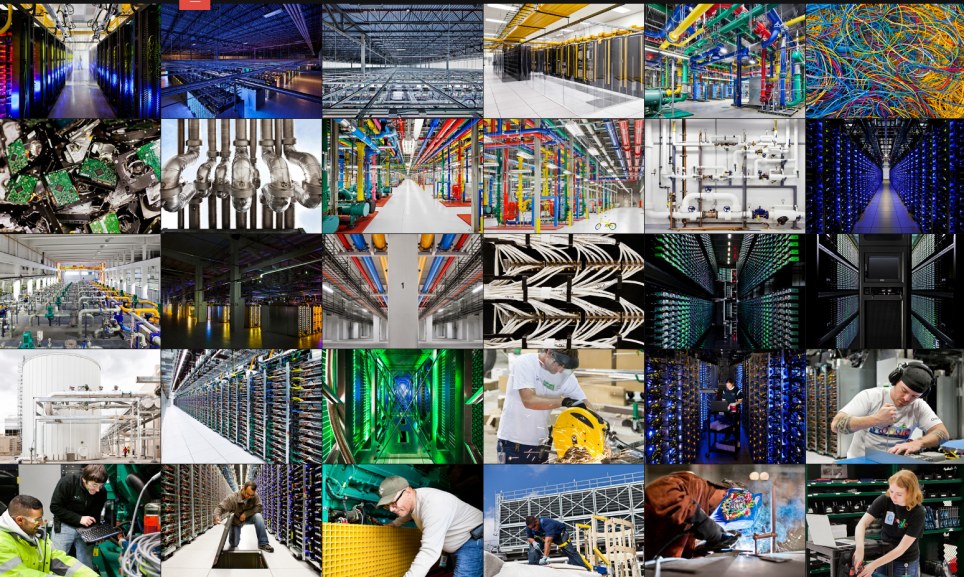
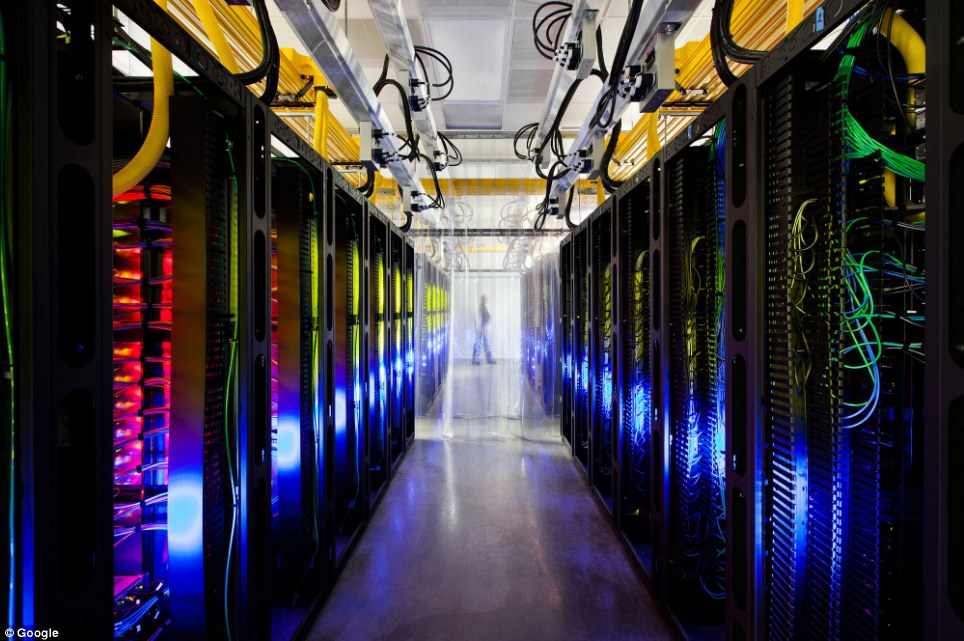
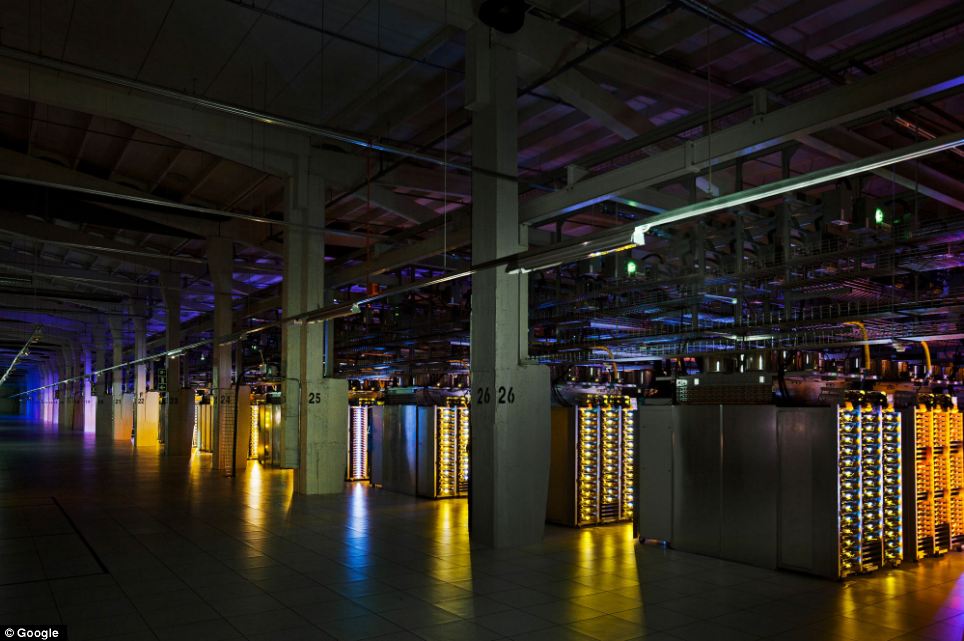
Google has provided us with a rare opportunity to see their data centers around the world, thanks to which every day we can use the services of this global Internet company. This is a real maze of servers that handle online queries into a search engine, show us a video on YouTube, and deliver emails to millions of people. Hundreds of thousands of servers, colorful cables and even bicycles to move the employees of the centers - in this collection you will find and data centers in the former paper mill in Finland, and specially designed server centers in Iowa, USA.
โอกาสที่ Google จะยอมให้เราเห็นศูนย์ข้อมูลของพวกเขาในหลายๆ แห่งทั่วโลกนั้น ไม่ใช่เรื่องที่ง่ายเลย เครื่องคอมพิวเตอร์แม่ข่าย (servers) ทั้งหลายที่ตอบสนองการร้องขอของผู้คนที่ออนไลน์ทั่วโลก ไม่ว่าจะเป็น Search Engine (เครื่องมือค้นหาข้อมูล Google) บริการวิดีโอของ Youtube และการให้บริการ Gmail ต้องใช้เครื่องคอมพิวเตอร์แม่ข่ายหลายแสนเครื่อง


Inside the internet 1 Дата центры Google
1. Few people have seen data centers Google, and for good reason, because the most important - is the security of our data.Therefore, each center is carefully protected.
เหตุผลเรื่องความปลอดภัย เราจึงไม่ค่อยได้เห็นศูนย์ข้อมูลของกูเกิล

Inside the internet 2 Дата центры Google
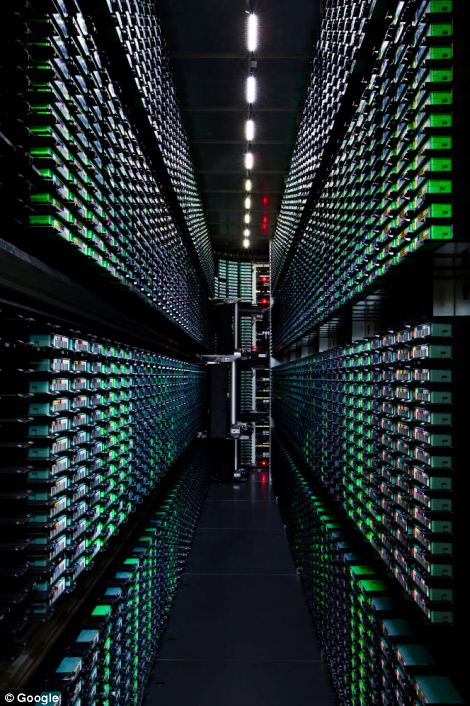
2. Despite the large number of Google employees around the world, only a handful of insiders has access to the servers.
แม้จะเป็นพนักงานของกูเกิลที่มีมากมายทั่วโลก ก็คงเป็นแค่คนวงในไม่กี่คนที่สามารถเข้าถึงเครื่องแม่ข่ายได้

Inside the internet 3 Дата центры Google
3. Now you can see the first images which capture the people, places and equipment, through which runs Google.
ภาพแรกๆ ที่เราเห็นจะทำการจับภาพผู้คน ตำแหน่งที่อยู่ และอุปกรณ์ ซึ่งจะรันผ่านกูเกิล


Inside the internet 4 Дата центры Google
4. In this post photos provided eight data centers in the U.S., Finland and Belgium.
ศูนย์คอมพิวเตอร์ของกูเกิล 8 ศูนย์ ในสามประเทศคือ สหรัฐอเมริกา ฟินแลนด์ และเบลเยียม


Inside the internet 5 Дата центры Google
5. Now Google is also building data centers in Hong Kong, Taiwan, Singapore and Chile.
กูเกิลยังมีศูนย์ข้อมูลที่ฮ่องกง สิงคโปร์ ไต้หวัน และประเทศชิลี อีกด้วย (สังเกตว่า พวกเขาใช้จักรยานปั่นไปหาจุดต่างๆ ขืนเดินไปคงไม่ไหว เพราะมันคงกว้างขวาง เสียเวลากว่าจะไปถึง)

Inside the internet 6 Дата центры Google
6. Surprise! Hmm, so this is what the guards in the data centers Google.
นี่เป็นการ์ดเฝ้าศุนย์ข้อมูลของกูเกิลเขาล่ะนะ

Inside the internet 7 Дата центры Google
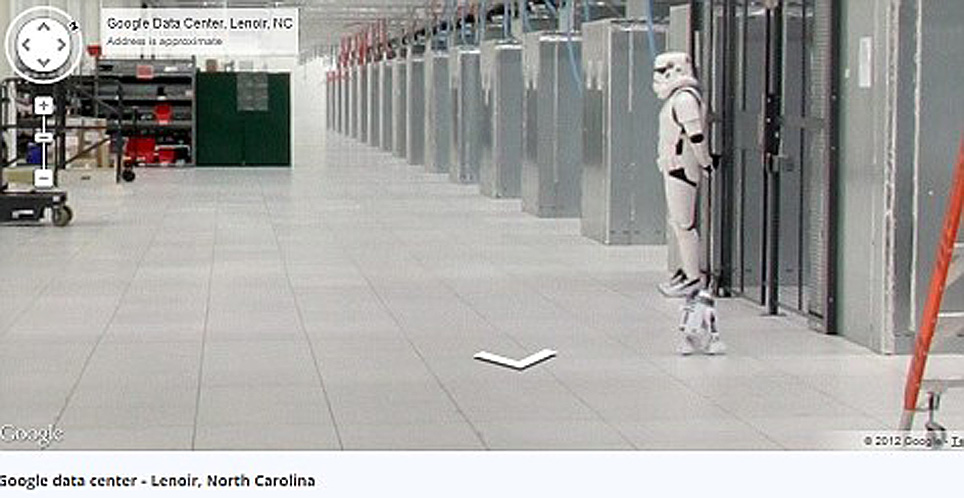
7.Takzhe to share Google's 'Street View' you can take a virtual tour of the data center in North Carolina.
ศูนย์ที่มลรัฐนอร์ธแคโรไลนา

Inside the internet 8 Дата центры Google
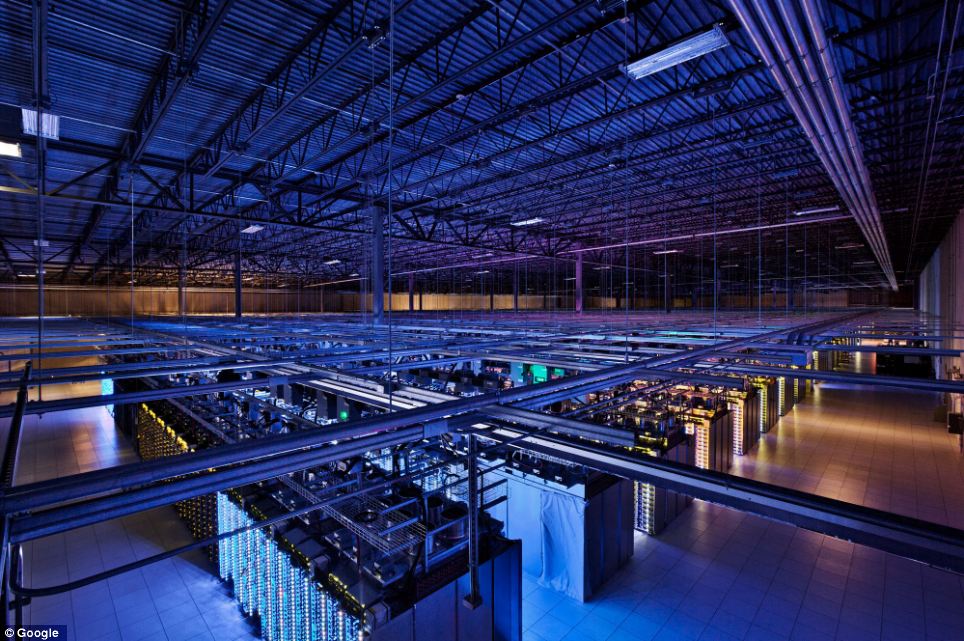
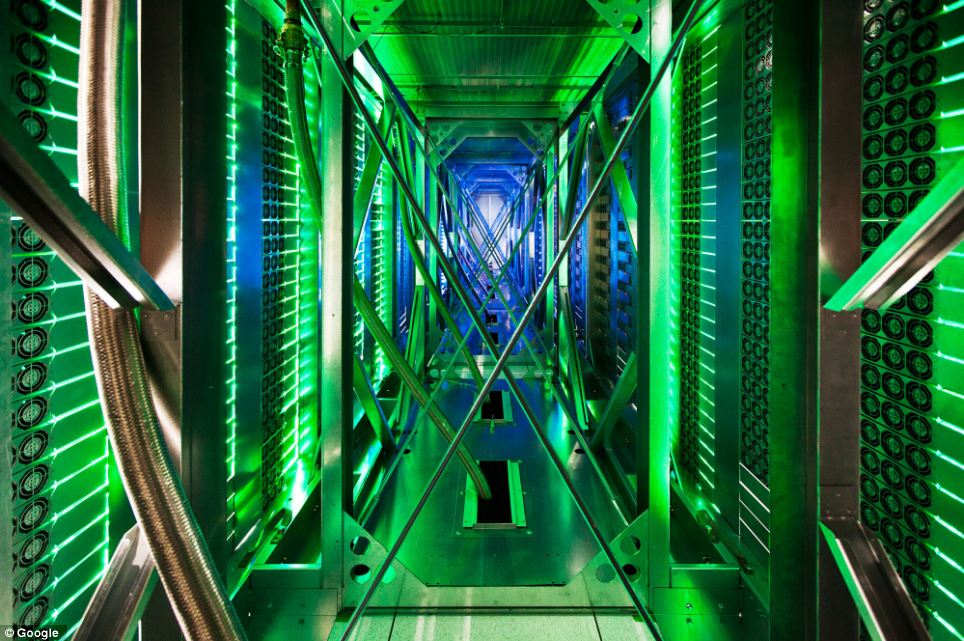
8. One of the many server data center in Iowa, USA, where the routes and switches allow data centers to communicate with each other. Fiber-optic cable connecting the server mounted on the ceiling.
ศุนย์ที่มลรัฐไอโอวา สายใยแก้วนำแสง (Fiber-optic cable) ที่มาเชื่อมต่อกับเครื่องแม่ข่ายนั้น ห้อยลงมาจากเพดานหลังคา

Inside the internet 9 Дата центры Google
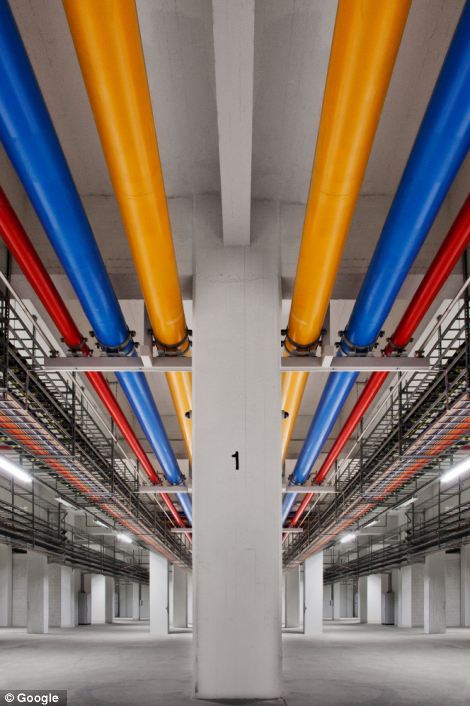
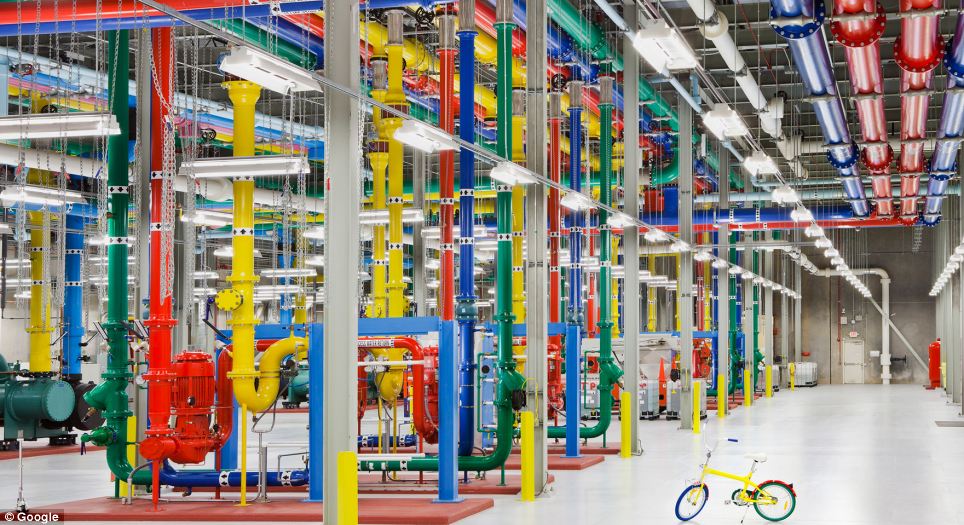
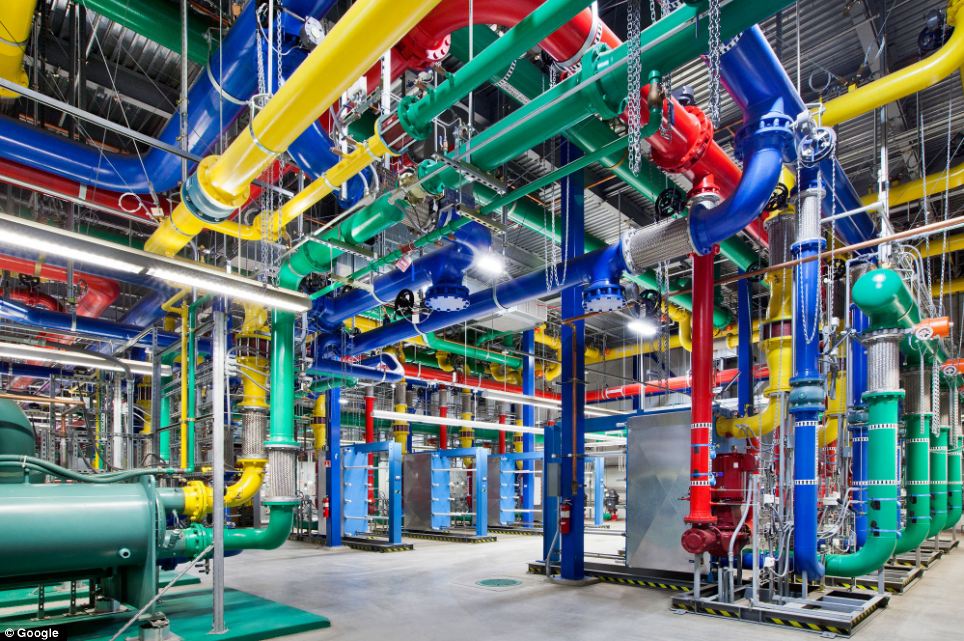
9. Even the lines in the centers painted in company colors Google. For these colorful water pipes travels around the center in Oregon. Blue pipes supply cold water, red - hot water is returned to a special chamber that it has cooled down.
ศุนย์ที่มลรัฐโอเรกอน จะสังเกตว่า สีของท่อต่างๆ จะใช้สีของกูเกิลเป็นสัญลักษณ์ ท่อน้ำสีน้ำเงินเป็นน้ำเย็น นำไประบายความร้อนออกมาจากระบบ แล้วส่งกลับเป็นน้ำร้อนมาตามท่อน้ำสีแดง (ระบบระบายความร้อน ทำนองเดียวกับเครื่องรถยนต์นั่นแหละ)

Inside the internet 10 Дата центры Google
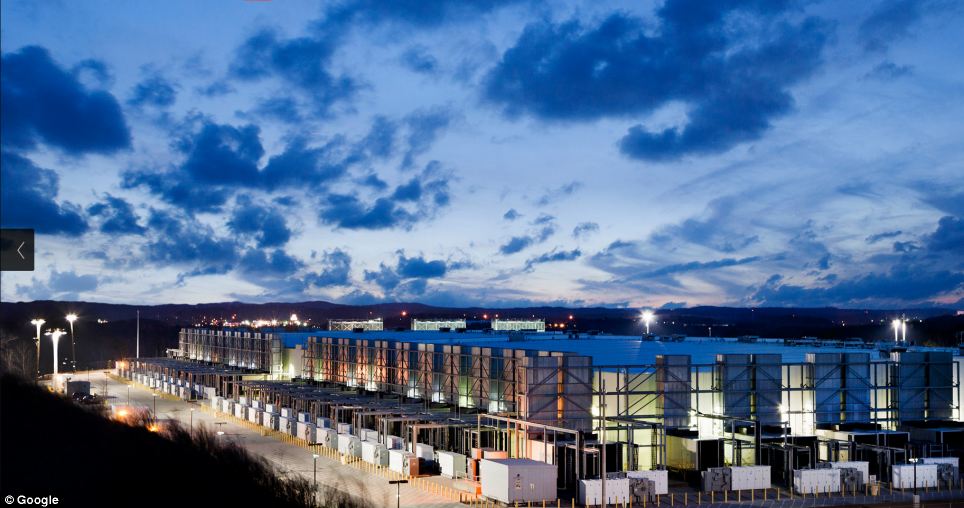
10. In Hamina, Finland, Google has decided to restore the old paper mill and stay on its territory, not far from the cool waters of the Gulf of Finland.
นี่เป็นศูนย์ข้อมูลของกูเกิลในประเทศฟินแลนด์ อาศัยโรงงานกระดาษเดิมมาดัดแปลง (ฟินแลนด์เป็นประเทศยักษ์ใหญ่ของโลกในการผลิตกระดาษจากไม้สน)

Inside the internet 11 Дата центры Google
11. Google server center in Douglas, Iowa.
ที่มลรัฐไอโอวา

Inside the internet 12 Дата центры Google
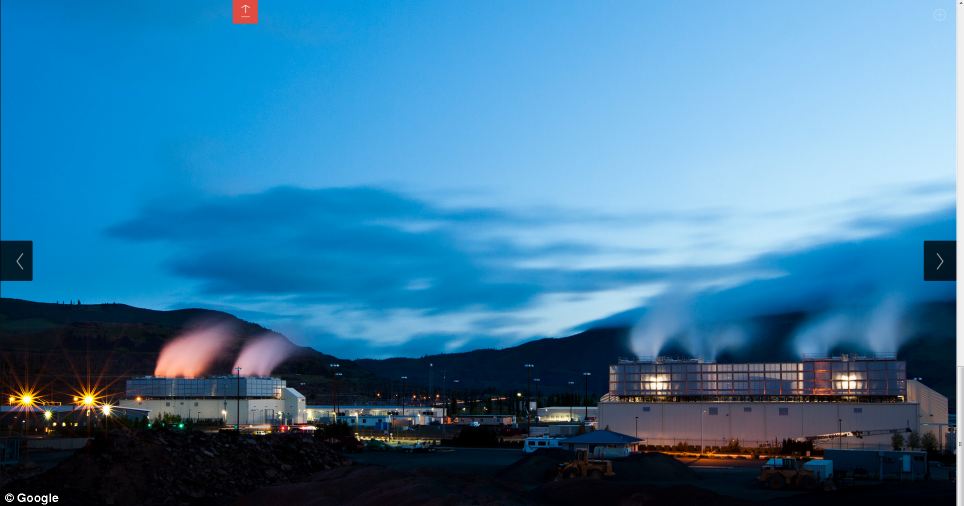
12. This server facility in The Dalles, Oregon, USA.
ที่มลรัฐโอเรกอน

Inside the internet 13 Дата центры Google
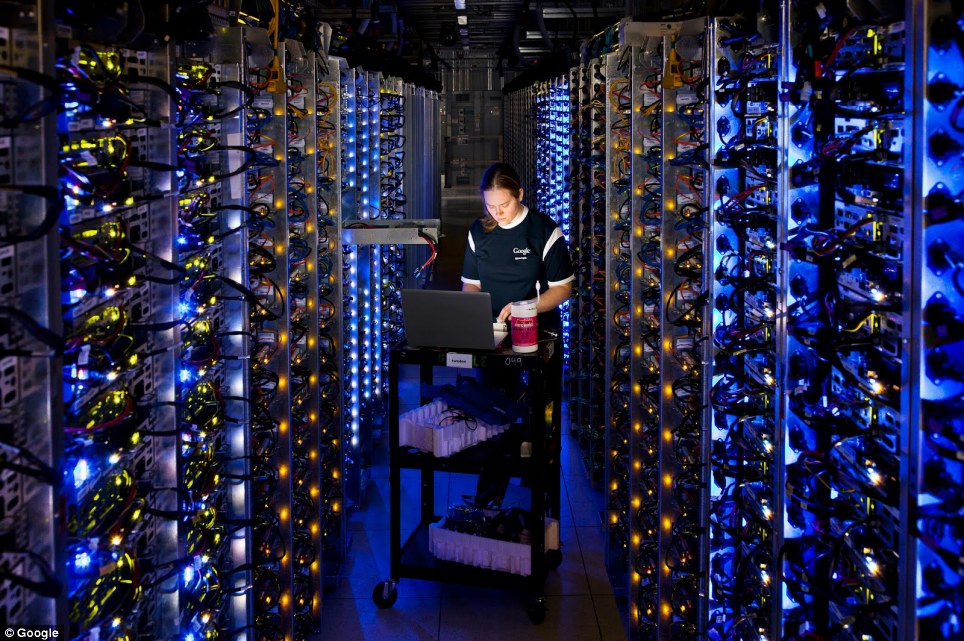
13. Dennis Harwood, an engineer Google, diagnoses overheated processor. For more than 10 years, Google has built some of the world's most powerful servers.
วิศวกรของกูเกิลกำลังตรวจหาสาเหตุที่หน่วยประมวลผลมีความร้อนเกิดขึ้นสูงเกินไป (Overheated)

Inside the internet 14 Дата центры Google
14. Google data center in Council Bluffs, Iowa, USA.
ศูนย์ที่มลรัฐไอโอวา

Inside the internet 15 Дата центры Google
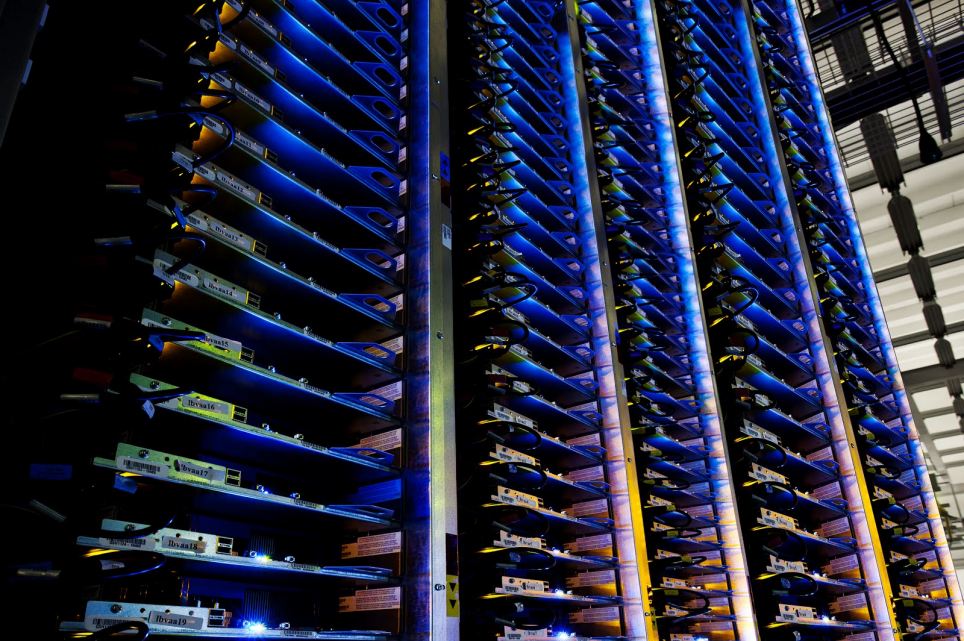
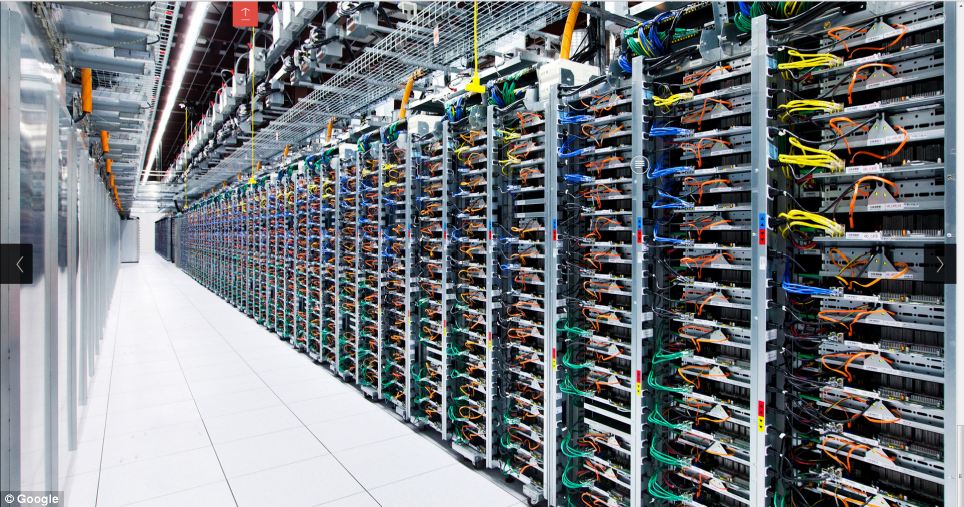
15. Each server has four interfaces, marked by lines of different colors. The colors in all centers of Google standard that facilitates the work during equipment maintenance.
เครื่องแม่ข่ายแต่ละตัว จะมีช่องทางการติดต่อ (Interface) 4 ช่องสัญญาณที่เป็นสีต่างกัน ก็คือสีสัญลักษณ์ของกูเกิลนั่นแหละ